Introduction
HTTP/2 improves website performance by enabling faster and more efficient communication between the server and browsers. In WHM, you can enable HTTP/2 using EasyApache 4.
Prerequisites
- Root access to WHM
- EasyApache 4 installed
- SSL-enabled websites
Implementation
Step 1:
Log in to WHM.
Step 2:
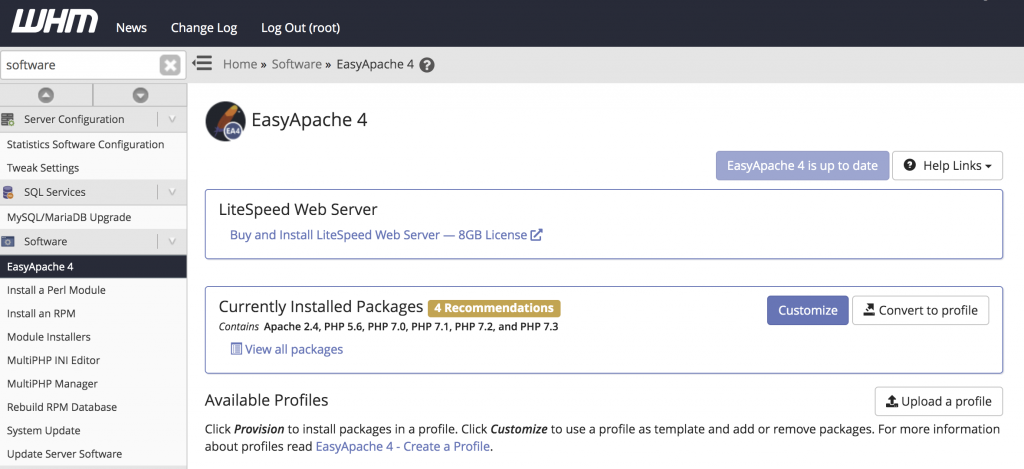
- Search for Software
- Click on EasyApache 4 under the “Software” section
Step 3:
In the Currently Installed Packages section, click Customize
Step 5:
- Click Next
- Click “Provision” to install and enable the Apache HTTP/2 module
Conclusion
By enabling the mod_http2 module through EasyApache 4 in WHM, your server can support HTTP/2 for improved website performance and faster loading speeds.