Introduction
Many Internet Service Providers (ISPs) assign dynamic IP addresses to their customers. Unlike static IPs, dynamic IPs change periodically, which can make remote MySQL access configuration challenging.
In certain cases, if only part of the IP address changes, you can configure wildcard rules in cPanel to allow remote MySQL access without updating the IP every time.
Prerequisites
Before proceeding, ensure you have the following:
- Access to your cPanel account
- MySQL database configured on the server
- Remote MySQL feature enabled in cPanel
- Public IP address of your local system
- Stable internet connection
Steps to Allow Dynamic IP for Remote MySQL Access
- Log in to your cPanel account.
- Navigate to the Databases section.
- Click on Remote MySQL.
- In the Hosts section, add the IP address or wildcard entry.
- Click Add Host to save the configuration.

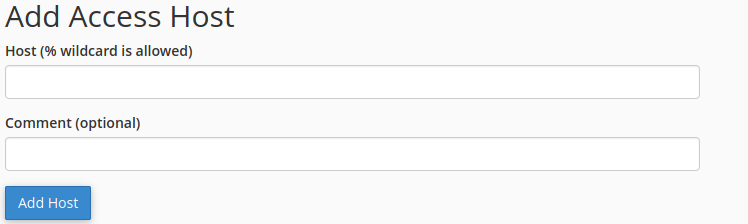
Example of Wildcard Configuration
Suppose your current IP address is:
192.150.14.23
If your ISP changes only the last portion of the IP, such as:
192.150.14.24192.150.14.25
You can configure a wildcard rule like:
192.150.14.%%
This allows any IP matching 192.150.14.* to connect remotely to MySQL.
Important Notes
- Wildcard entries should only be used when IP changes are predictable and limited to certain octets.
- Using broad wildcard rules can reduce security.
- If your ISP frequently changes the entire IP range, there is no completely secure method to allow unrestricted dynamic IP access.
Recommended Solution
If your IP changes drastically or frequently, the recommended approaches are:
- Manually update the IP address in Remote MySQL whenever it changes
- Request a static IP address from your ISP for stable and secure access
Conclusion
By configuring Remote MySQL access in cPanel with either a specific IP or a wildcard rule, users with dynamic IP addresses may still be able to connect remotely to MySQL databases. For improved security and reliability, using a static IP address is always the preferred option.