Introduction
When external IP addresses are reconfigured or remapped to different internal IP addresses on a server, WHM/cPanel may not automatically recognize these changes. Rebuilding the IP address pool refreshes the server’s IP configuration and ensures WHM properly detects and updates the available IP addresses.
This process is commonly performed after:
- Changing network configurations
- Updating NAT mappings
- Adding or removing IP addresses
- Migrating servers
- Modifying cloud or hosting provider IP assignments
Prerequisites
Before rebuilding the IP address pool, ensure the following:
- You have root access to the server
- WHM/cPanel is installed and accessible
- The new IP address mappings are already configured correctly at the OS or hosting provider level
- Network connectivity is verified
- A backup or snapshot of the server configuration is recommended before making network-related changes
Procedure
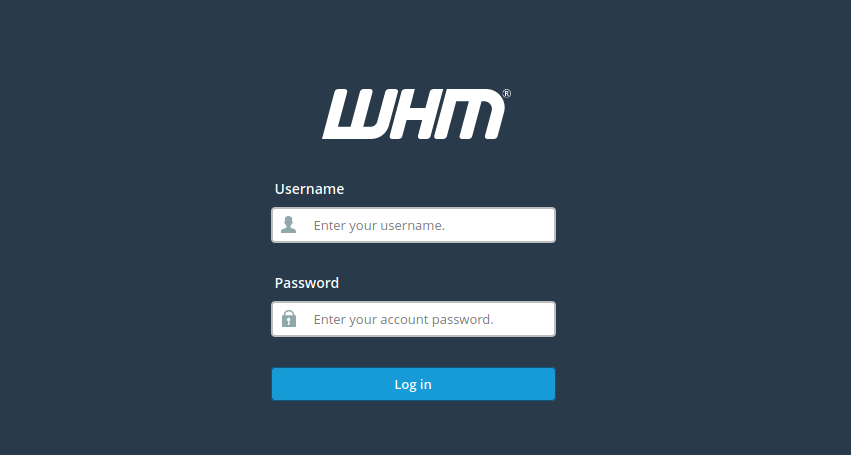
Step 1: Login to WHM
Access your WHM panel using the root credentials.
Step 2: Navigate to IP Functions
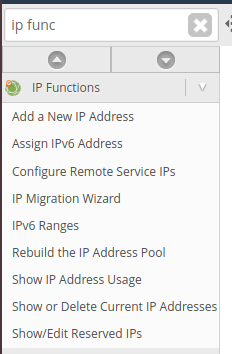
From the WHM dashboard:
- Search for “IP Functions” in the left-side search bar
- Open the IP Functions section
Step 3: Click “Rebuild the IP Address Pool”
Under IP Functions:
- Select “Rebuild the IP Address Pool”
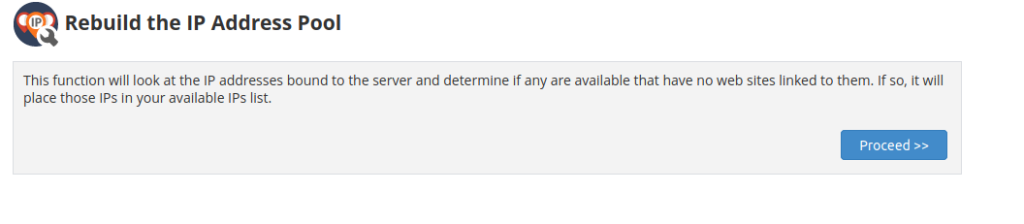
This option forces WHM to scan and rebuild the list of available IP addresses configured on the server.
Step 4: Click the “Proceed” Button
- Review the confirmation message
- Click Proceed
WHM will now rebuild and refresh the IP address pool.
Verification
After the rebuild process is completed:
- Navigate to WHM → IP Functions → Show or Delete Current IP Addresses
- Verify that the updated IP addresses are listed correctly
- Confirm that websites and services are binding to the correct IP addresses
Conclusion
Rebuilding the IP address pool in WHM is an essential maintenance task after modifying server IP configurations. It ensures that cPanel/WHM recognizes the updated IP mappings and prevents networking or hosting-related issues caused by outdated IP information. Regular verification after network changes helps maintain proper server functionality and accessibility.