Introduction
In Web Host Manager, you can change the server time zone to match your preferred region. Correct server time is important for logs, cron jobs, emails, and application functionality.
Prerequisites
Before proceeding, ensure:
- Root access to WHM
- Basic understanding of server time zones
- Scheduled maintenance window recommended for reboot
Implementation
Step 1: Login to the WHM panel.
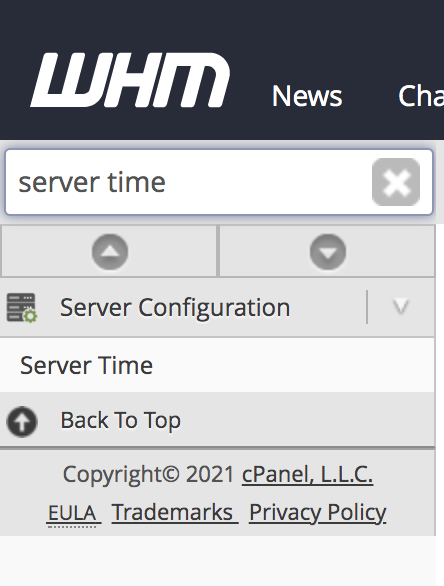
Step 2: Enter Server Time in the search bar and click on Server Time under Server Configuration.
Step 3: Select the required time zone from the drop-down menu and then click Change Time Zone.
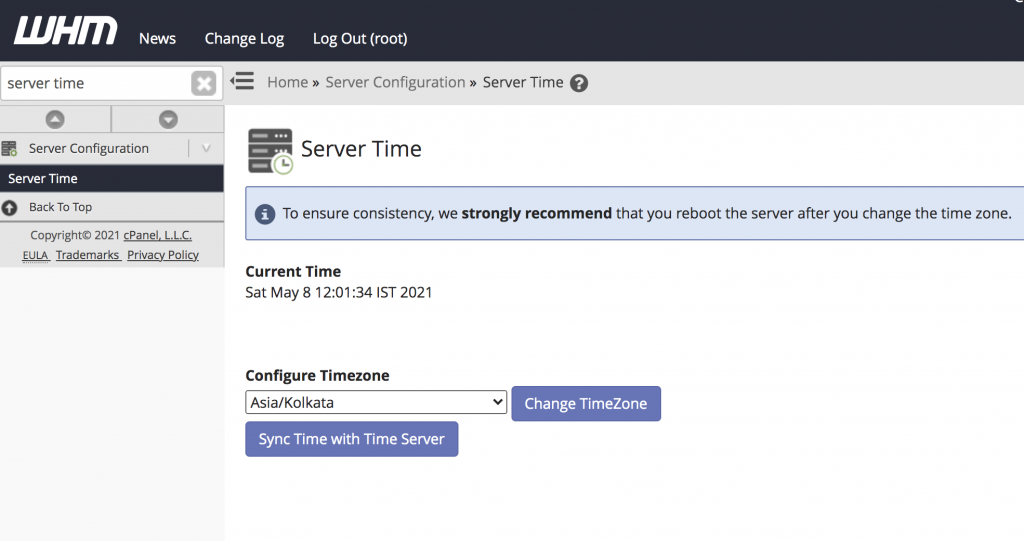
Note: If you find that your time zone is correct but the server is out of sync, then click Sync Time with Time Server.
Step 4: Finally reboot the server.
Conclusion
Using Web Host Manager server time settings, administrators can easily configure the correct server time zone and synchronize system time for proper server operation.