Introduction
WordPress can be installed on a subdomain through cPanel using the WordPress installer. This is useful for creating blogs, staging sites, development environments, or separate website sections.
Prerequisites
Before proceeding, ensure:
- Access to cPanel
- A subdomain already created
- SSL certificate configured for HTTPS (optional but recommended)
- Sufficient hosting resources and database availability
Implementation
Step-1: Log in to the Cpanel account
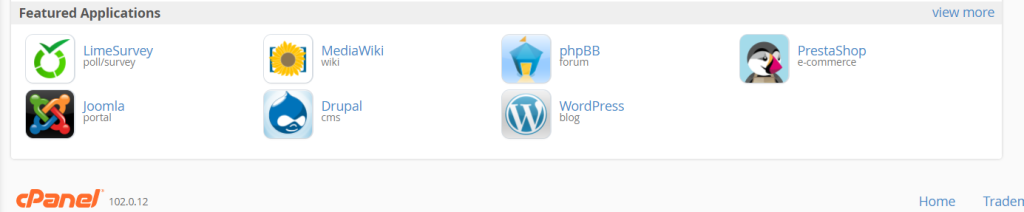
Step-2: Click on WordPress
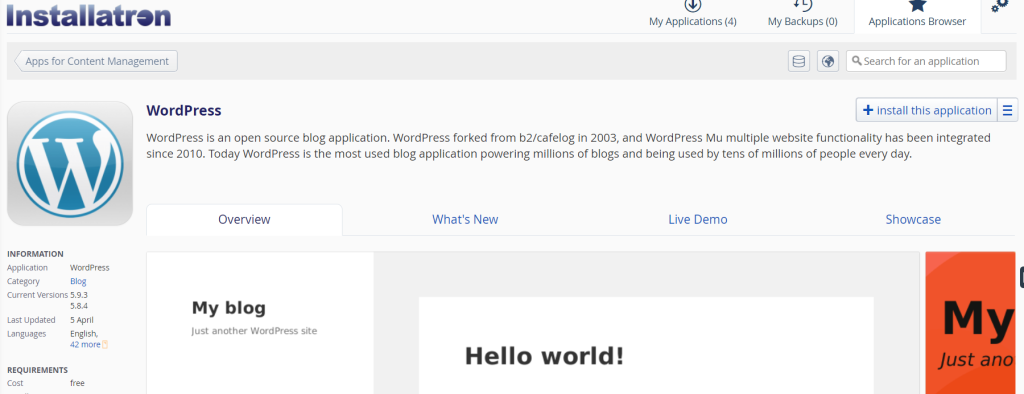
Step-3: Click on install this application
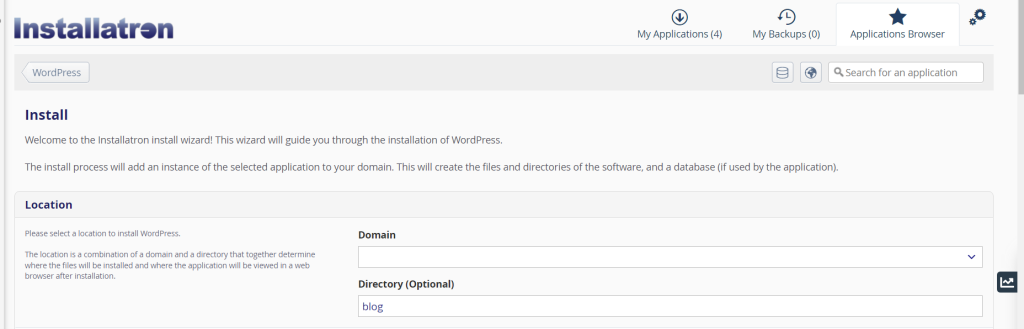
Step-4: Enter all the information required in the different text boxes.
Step-5- In the Domain tab please select the subdomain. If the subdomain has SSL select HTTPS or else select HTTP continued with the subdomain name.
Step -7: Enter the administrator username, password, and mail id and make a note of it.
Step- 8: Click install to install WordPress.
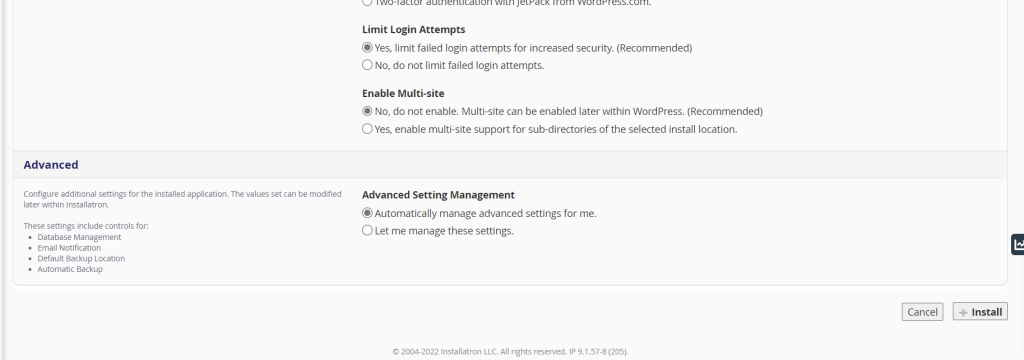
Step -9: WordPress will be installed for your subdomain. Now you can log in to your WordPress using https://subdomain/wp-admin
Conclusion
Installing WordPress on a subdomain through cPanel is a simple process that allows you to create separate websites, blogs, or testing environments efficiently.