Introduction
WHM allows administrators to easily change the PHP version for individual domains using the MultiPHP Manager feature. Updating the PHP version helps improve website compatibility, security, and performance.
Prerequisites
- Access to WHM
- Domain hosted on the server
- Basic knowledge of PHP version compatibility
Implementation
Step 1
Log in to WHM.

Step 2
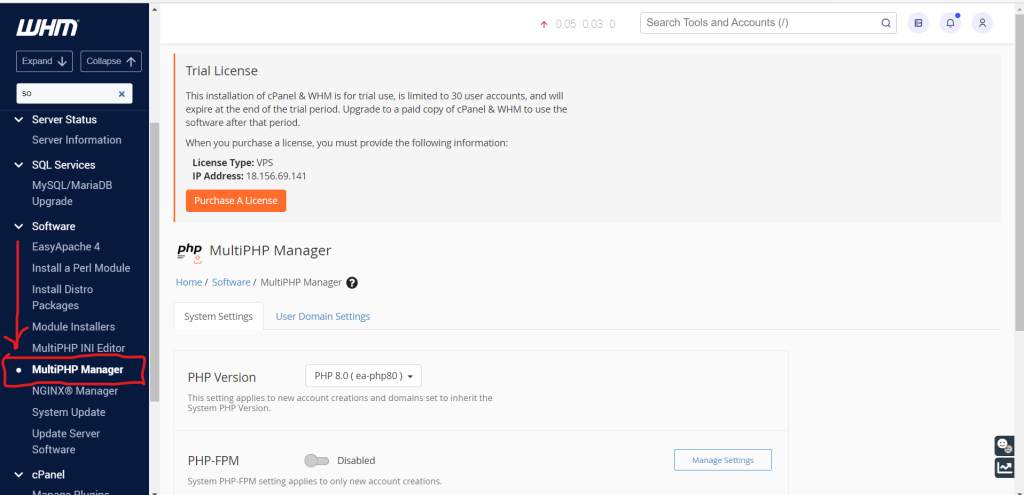
Under the Software section, click on the following:
MultiPHP Manager
Step 3
Make a note of the current PHP version assigned to the domain.
Step 4
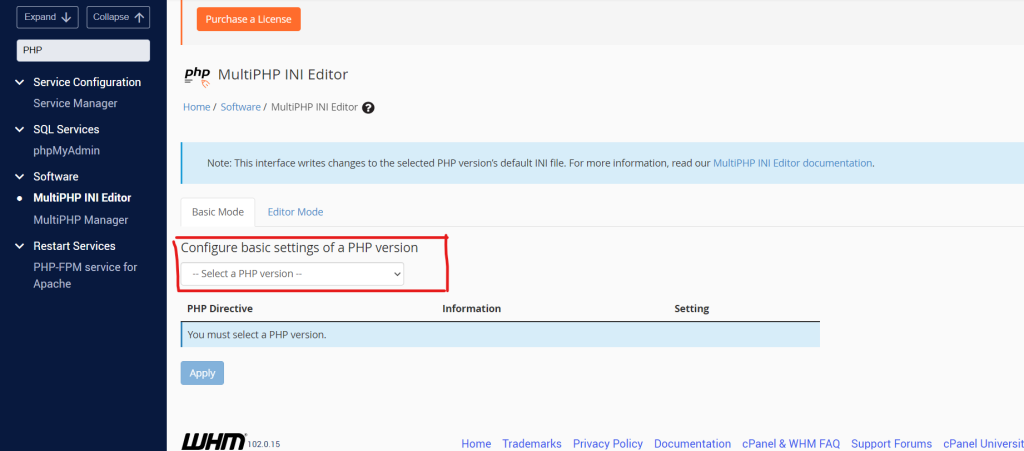
Select the required updated PHP version from the dropdown menu and click:
Apply
Step 5
Visit the website and verify that the site is working properly after the PHP version change.
Note:
If the website becomes inaccessible or displays errors, switch back to the previous PHP version.
Conclusion
Using the MultiPHP Manager feature in WHM, you can easily update the PHP version for a domain to improve website performance, compatibility, and security.