Introduction
Password strength policies help protect hosting accounts, email accounts, FTP users, databases, and other services from unauthorized access. WHM allows administrators to define minimum password strength requirements globally or customize them for specific account types.
This guide explains how to configure password strength settings in WHM.
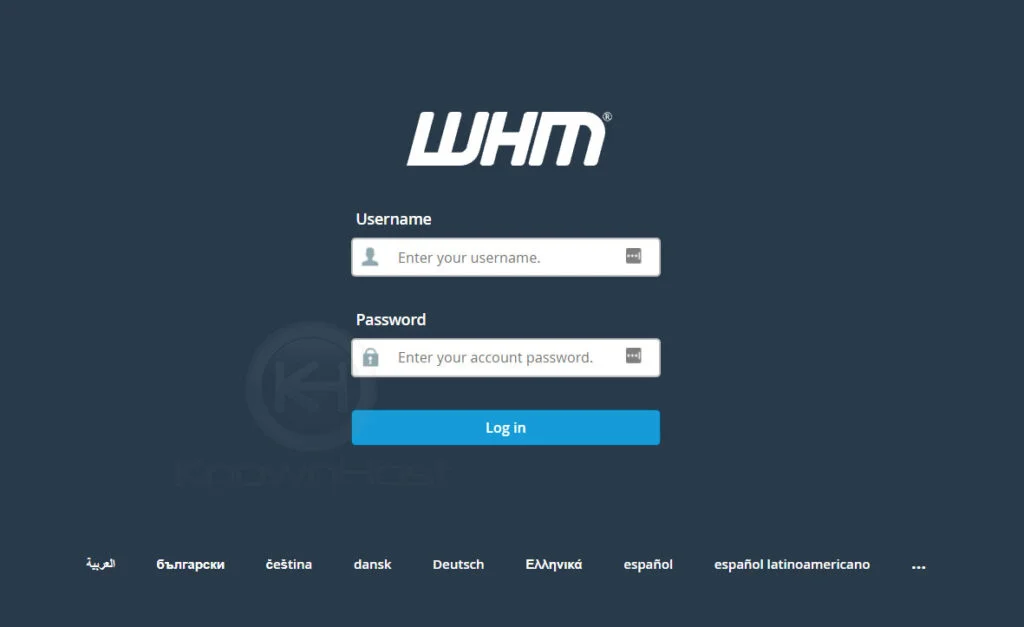
Step 1: Log in to WHM
Step 2: Open Password Strength Configuration
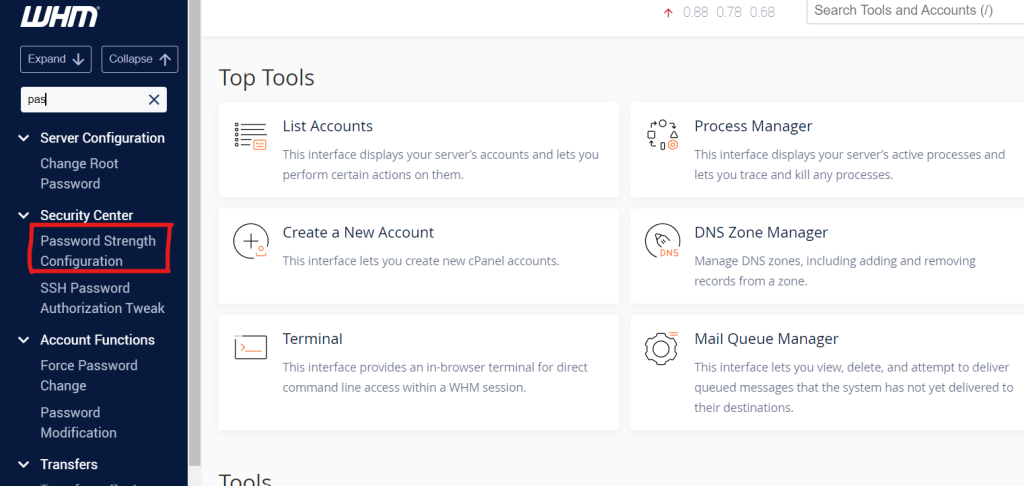
From the left-side navigation menu, navigate to:
Security Center → Password Strength Configuration
The Password Strength Configuration interface will open.
Step 3: Set the Default Password Strength.
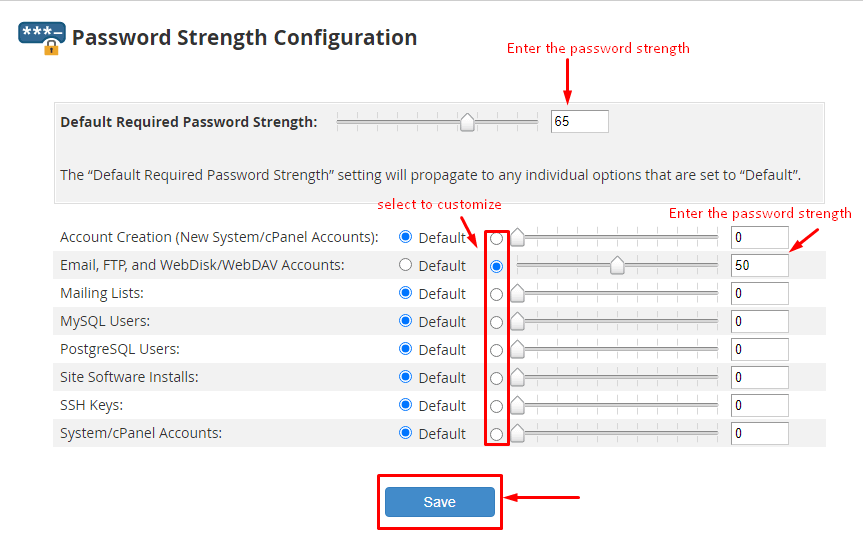
In the Default Required Password Strength field, enter the desired password strength value.
This default setting applies to all account types that do not have a custom password strength requirement configured.
Step 4: Customize Password Strength for Specific Components
To define a different password strength requirement for a specific component:
- Locate the component in the list (for example, cPanel accounts, email accounts, FTP accounts, or databases).
- Select the corresponding radio button to enable a custom value.
- Enter the desired password strength score or use the slider to adjust it.
Step 5: Save the Configuration
After configuring the required password strength values, click Save.
WHM will immediately apply the updated password strength policies according to your configuration.
Conclusion
Configuring password strength requirements in WHM is an effective way to enhance account security across your hosting environment. By enforcing stronger passwords, you can reduce the risk of unauthorized access and improve the overall security posture of your server.