Introduction
Keeping cPanel up to date is important for maintaining server security, stability, and access to the latest features. WHM (Web Host Manager) provides an easy way for server administrators to upgrade cPanel and WHM to the latest available version. Regular updates help protect your server from vulnerabilities, improve performance, and ensure compatibility with modern applications and hosting environments.
Prerequisites
Before upgrading cPanel in WHM, ensure the following requirements are met:
- Root access to the server.
- WHM login credentials.
- A valid cPanel license.
- Stable internet connection on the server.
- Sufficient disk space available for the update process.
- A recent server backup is recommended to prevent data loss in case of unexpected issues.
- Verify that the operating system version is supported by the target cPanel release.
IMPLEMENTATION
Procedure
Step 1: Log in to your WHM root account.
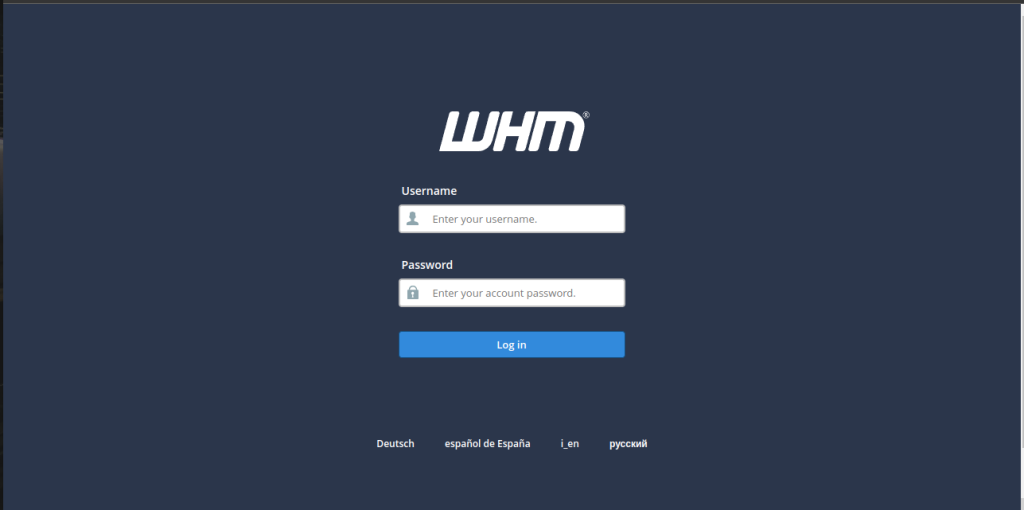
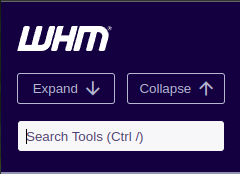
Step 2: Find the Search Tools bar on the top left corner
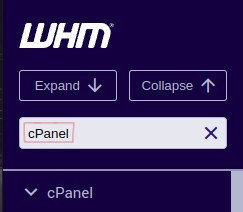
Step 3: Search for cPanel in the Search box
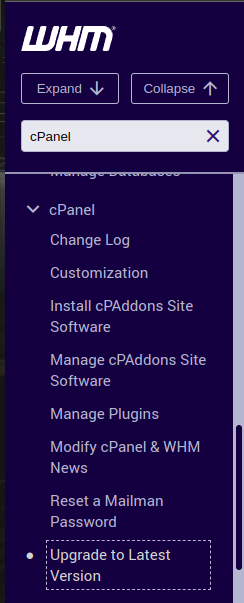
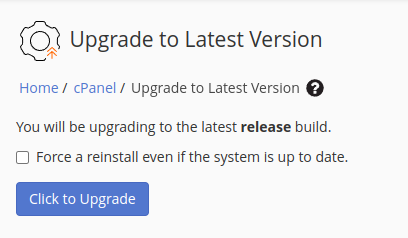
Step 4: Select the Upgrade to Latest Version on the cPanel section
Step 5: Click the Click to Upgrade button to start the upgrade process.
It will show the upgradation process bar.
Step 6: Once the process is completed, Click on the WHM logo to refresh the WHM.
Now the cPanel is up-to-date.
Conclusion
Upgrading cPanel through WHM is a straightforward process that helps keep your hosting environment secure, reliable, and up to date. By ensuring all prerequisites are met and performing regular updates, administrators can benefit from the latest features, security patches, and performance improvements while maintaining a stable hosting platform.