Introduction
A MySQL database is essential for running dynamic websites and applications such as WordPress, Laravel, and other CMS platforms. cPanel provides a simple and user-friendly MySQL Database Wizard to help you create a database, user, and assign permissions بسهولة.
This guide walks you through the step-by-step process to create a MySQL database in cPanel.
Prerequisites
Before proceeding, ensure you have:
- Access to your cPanel account
- Basic understanding of databases and users
- A naming convention for your database and user
- Strong password for database security
Implementation
Follow the steps below to create a MySQL database:
Step : 1
Login to your cPanel.
Step : 2
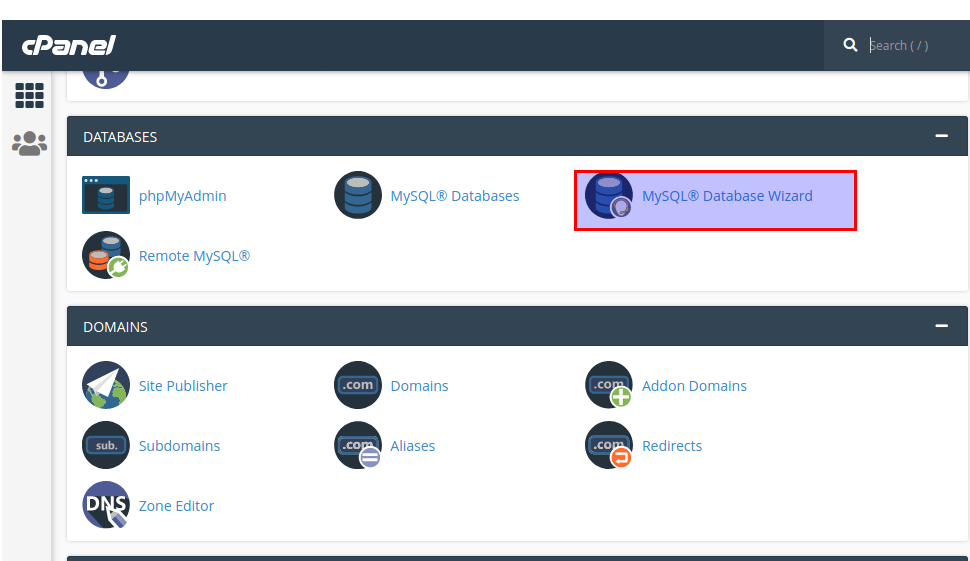
Select MYSQL Database wizard under the Database section.
Step : 3
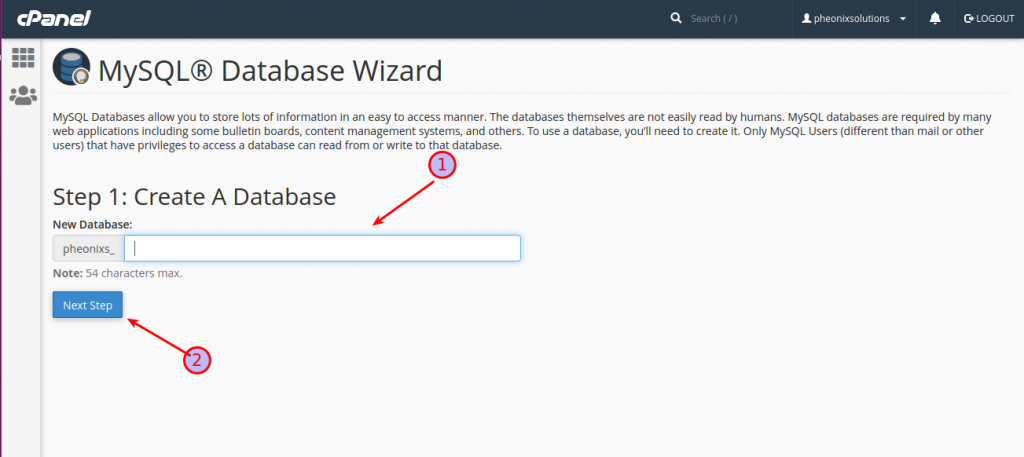
- Enter your database name.
- Click next step
Step : 4
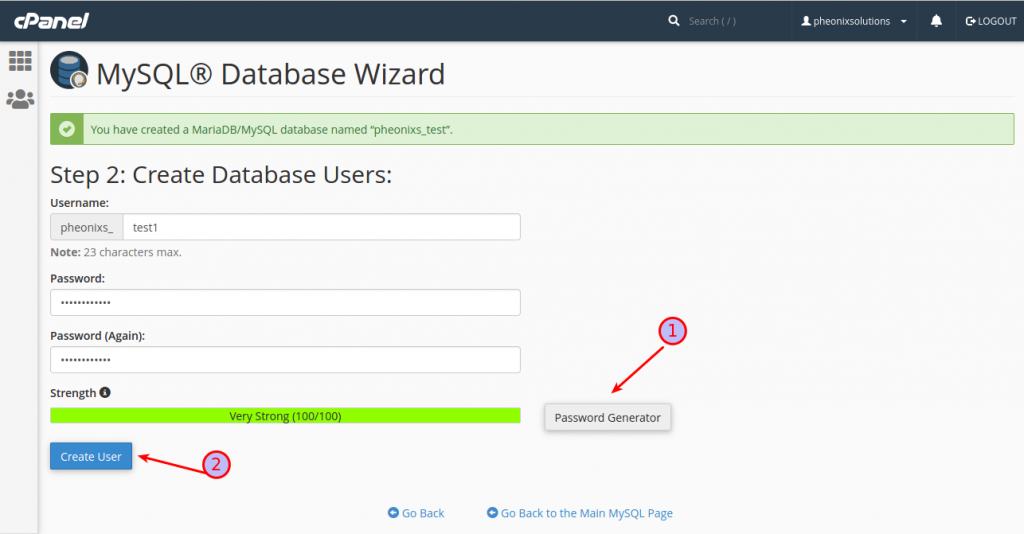
Create database user.
- You can create password otherwise you can generate.
- Click the create user button.
Step : 5
Assign privileges to the user.
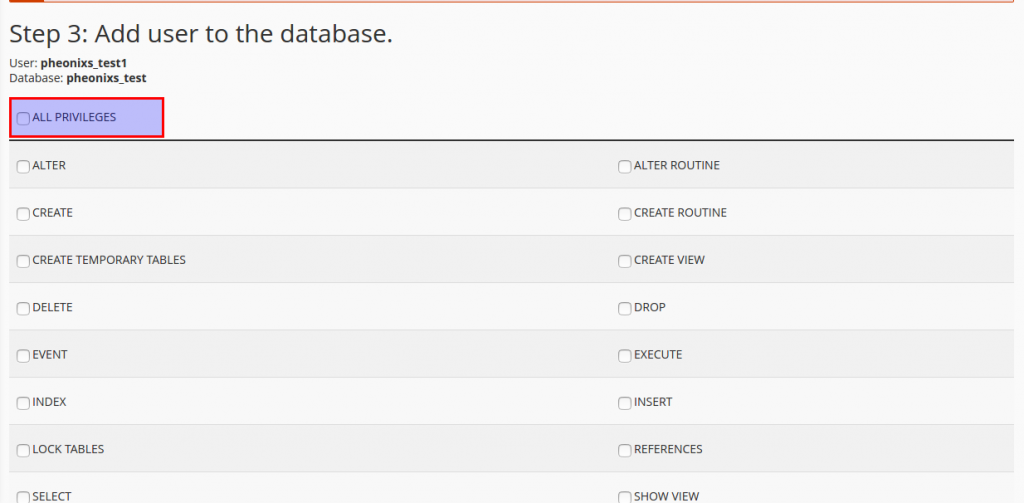
Click all privileges option and scroll down the page you can see the next step option click the option.
Step : 6
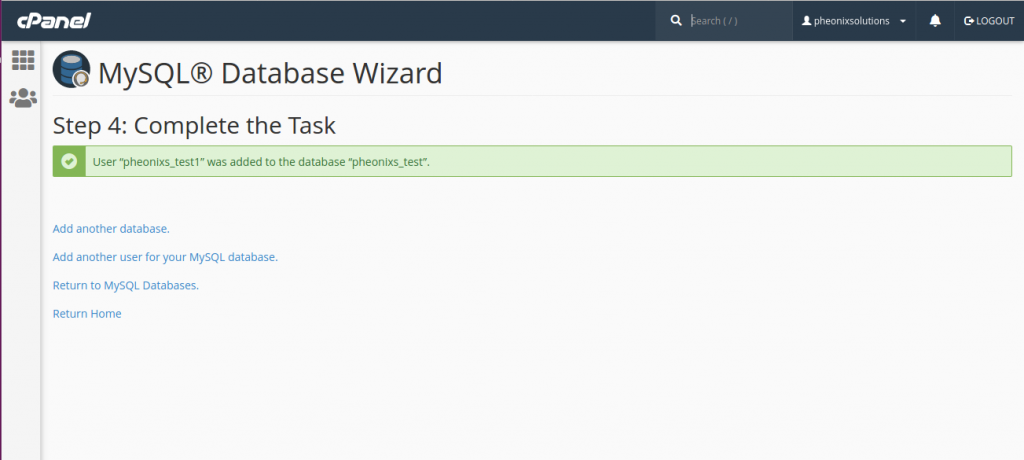
Finally you create the new database.
Conclusion
Creating a MySQL database in cPanel using the Database Wizard is quick and straightforward. It ensures proper setup of database, user, and permissions in one guided process.
By following this guide, you can:
- Set up databases for your applications easily
- Ensure secure user access
- Get your website or application ready for deployment