
Post Date: February 7, 2019
Last Updated: October 07, 2026
Introduction
This guide explains how to force HTTP traffic to redirect to HTTPS using .htaccess, so visitors always land on the secure version of your site regardless of which URL they originally typed or clicked.
Before starting, you need an SSL certificate already installed for your domain — this redirect doesn’t create encryption, it just ensures traffic uses the HTTPS connection you’ve already set up.
Prerequisites
- An SSL certificate already installed and working for your domain
- Apache with
mod_rewriteenabled AllowOverride Allpermitted for your document root (otherwise Apache ignores.htaccessfiles entirely)
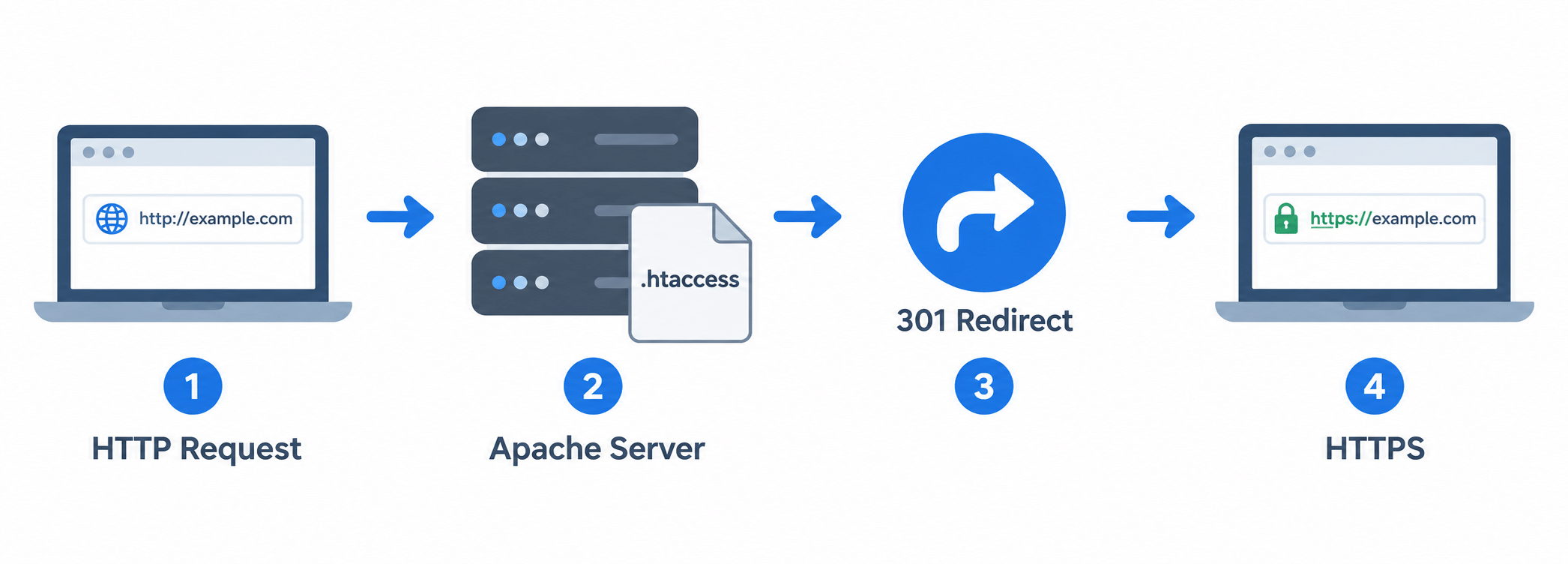
Architecture
- A browser requests your site over plain HTTP
- Apache checks
.htaccess, sees the request isn’t HTTPS, and sends back a 301 redirect - The browser automatically requests the same page again, this time over HTTPS
Steps
1. Edit Your .htaccess File
vi .htaccess
Note: The original guide had a typo in the filename —
.httacessinstead of.htaccess. Apache specifically looks for the file named.htaccess; anything else (including this typo) is silently ignored.
2. Add the Redirect Rule
RewriteEngine On
RewriteCond %{HTTPS} off
RewriteRule ^(.*)$ https://%{HTTP_HOST}%{REQUEST_URI} [R=301,L]
This redirects any HTTP request, for any domain pointed at this document root, to its HTTPS equivalent, preserving the original path.
If you specifically want this rule to apply only to one domain among several sharing the same document root, add a host-matching condition above the
%{HTTPS} offline:RewriteCond %{HTTP_HOST} ^yourdomain\.com [NC]
3. Test It
Save the file, clear your browser cache (or test in a private/incognito window), and visit your site over http://. You should be redirected to https:// automatically.
Conclusion
Forcing HTTP to HTTPS is a short .htaccess rule, as long as mod_rewrite is enabled and AllowOverride All is permitted for the directory — both of which are easy to overlook and are the most common reasons this rule appears to do nothing when added.
Frequently Asked Questions
Why isn’t the redirect working even though I added the rule correctly? Check that the file is actually named .htaccess (not a typo like .httacess), that mod_rewrite is enabled, and that AllowOverride All is set for your document root — any one of these being wrong causes Apache to silently ignore the rule.
Do I need this if I’m using a reverse proxy or load balancer? Not necessarily — if your reverse proxy or load balancer already handles the HTTP-to-HTTPS redirect, adding this rule as well is redundant and adds an unnecessary extra hop.
Will this redirect break any existing bookmarks or links to my HTTP URLs? No — the 301 redirect preserves the original path, so an HTTP link still lands on the correct page, just over HTTPS.
Related Articles
How to enable HTTP2 support in Apache
Redirect HTTP to HTTPS with Windows IIS 10
Talk to Our Technology Experts
Securing your website or setting up SSL across multiple domains? Our team can help with SSL/TLS configuration, server security, and ongoing support.