
Post Date: April 11, 2019
Last Updated: October 15, 2026
Introduction
A Tabbed Activity in Android Studio is a useful way to organize an Android application’s content into multiple tabs, allowing users to switch between different sections easily. Tabs improve navigation, enhance the user experience, and help developers create a clean and organized user interface.
Android Studio provides built-in activity templates that simplify the process of creating a tabbed interface without requiring developers to build the entire layout from scratch.
In this tutorial, you will learn how to create a Tabbed Activity in Android Studio, select a tab navigation style, and use the built-in project template to get started.
Prerequisites
Before getting started, make sure you have the following:
- Android Studio installed on your computer.
- Basic knowledge of Android application development.
- An understanding of Android layouts and XML.
Steps to Create a Tabbed Activity in Android Studio
Step 1: Open the Tabbed Activity Template
- Open Android Studio.
- Open your existing Android project.
- Navigate to File → New → Activity.
- Select Tabbed Activity from the available activity templates.
Note: The exact menu options may vary depending on your Android Studio version.

Step 2: Configure the Tab Navigation Style
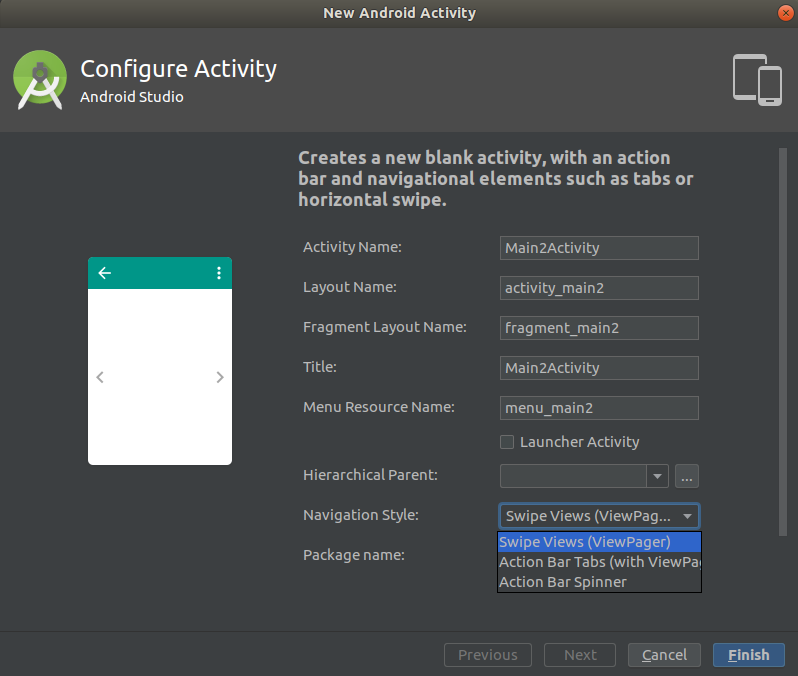
After selecting the Tabbed Activity template, configure the activity settings according to your project requirements.
You can specify the activity name and select a navigation style from the available options.
For this example, select Action Bar with Tabs as the navigation style, then click OK to continue.
Step 3: View the Generated Tabbed Activity Layout
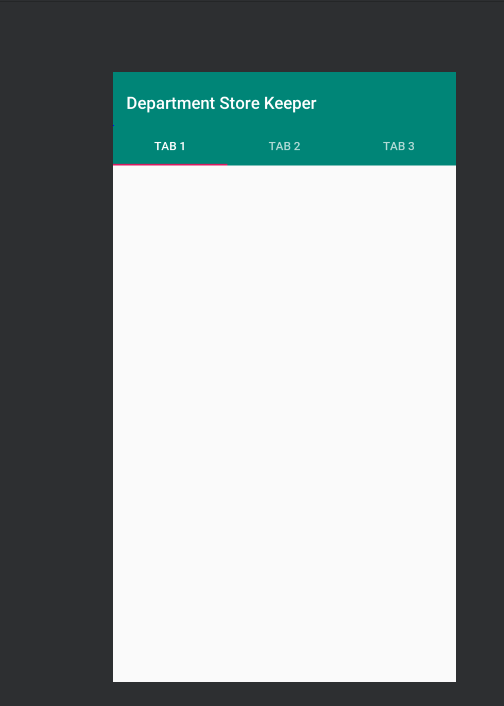
Once you complete the configuration, Android Studio generates the required activity files and layout structure based on the selected template.
The generated interface displays tabs that allow users to navigate between different sections of the application. You can customize the tab titles, content, and layout according to your requirements.
You can also modify the activity’s title and other UI elements to match your application’s design.
Step 4: Create a Tabbed Activity Through a New Project
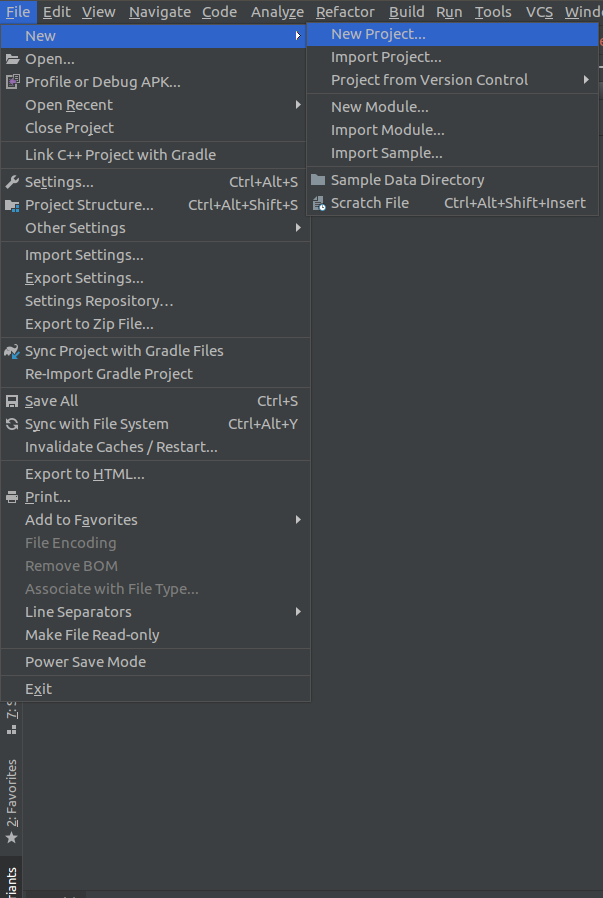
Android Studio also provides an option to create a project using the Tabbed Activity template directly.
Follow these steps:
Configure the project and finish creating it.
Open Android Studio.
Select File → New → New Project.
Choose the appropriate project configuration.
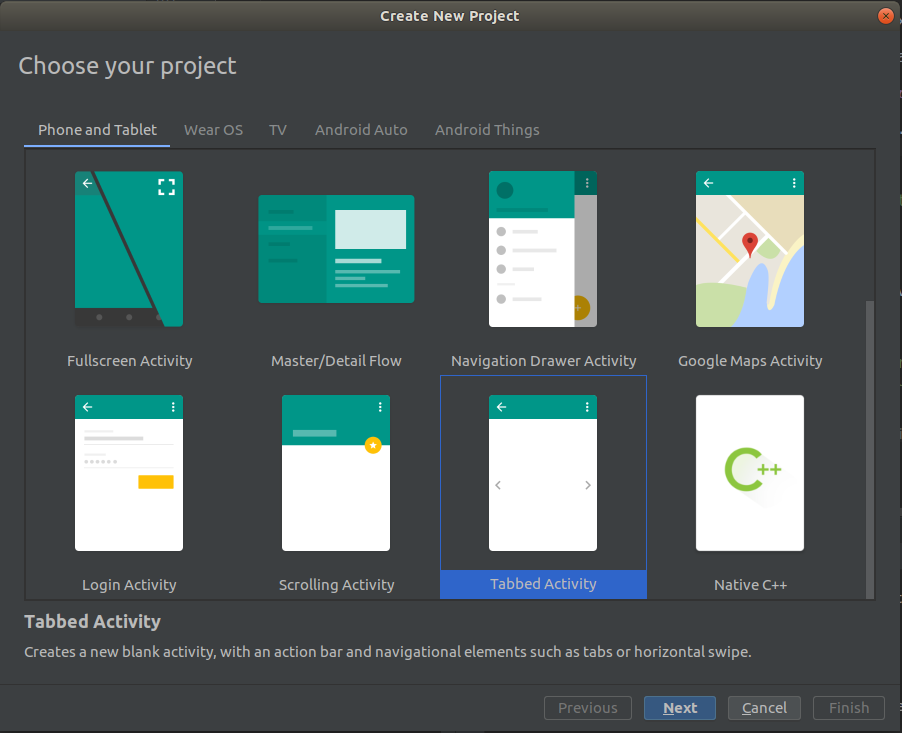
Look for the Tabbed Activity template, if available.
Depending on the Android Studio version, this workflow may create the project using the default tab configuration without offering a separate navigation-style selection screen.
Step 5: Customize Your Tabs
After creating the activity, you can customize the tab labels, layouts, and content to suit your application.
For new Android applications, consider using modern navigation components such as TabLayout with ViewPager2 or Jetpack Compose’s tab components instead of relying on older Action Bar tab implementations. The appropriate approach depends on your project’s architecture and Android dependencies.
Conclusion
Creating a Tabbed Activity in Android Studio is a straightforward way to organize an application’s content into multiple navigable sections. Using the built-in activity template can save development time and provide a starting point for customizing your application’s interface.
By following the steps in this tutorial, you can create a tabbed layout, select an available navigation style, and customize the generated activity to meet your project requirements.
For modern Android development, consider using TabLayout and ViewPager2 or Jetpack Compose tabs for a more maintainable and flexible navigation experience.
Frequently Asked Questions (FAQs)
1. What is a Tabbed Activity in Android Studio?
A Tabbed Activity is an Android screen that organizes content into multiple tabs, allowing users to switch between different sections within the same interface.
2. How can I create a Tabbed Activity in Android Studio?
Open your project, navigate to File → New → Activity → Tabbed Activity, configure the available options, and click OK. The menu and template availability may vary by Android Studio version.
3. Which component is recommended for modern Android tab navigation?
For View-based Android applications, TabLayout with ViewPager2 is a common modern approach. For Jetpack Compose applications, you can use Compose tab components.
Related Articles
- How to Create Your First Project in Android Studio
- How to Run an Android Studio Project/App on an Emulator
Talk to Our Experts
Need help with Android application development or configuring your Android Studio project? Our experts can help you find the right solution for your business.
Get in touch with us: Contact our team