
Introduction
Database migrations are a routine task for developers, system administrators, and website owners. However, moving a MySQL database between servers can sometimes lead to compatibility issues, especially when the source and destination servers are running different MySQL versions. One such common problem is ERROR 1273 (HY000): Unknown collation ‘utf8mb4_unicode_520_ci’, which prevents a database dump from being imported successfully.
This error occurs because the target MySQL server does not recognize the collation used in the backup file. In this guide, we’ll explain why this issue occurs, how to fix it quickly, and the best practices to prevent collation-related problems during future database migrations.
Error Message
Recently, while restoring a MySQL database dump from one server to another, the import process failed with the following error:
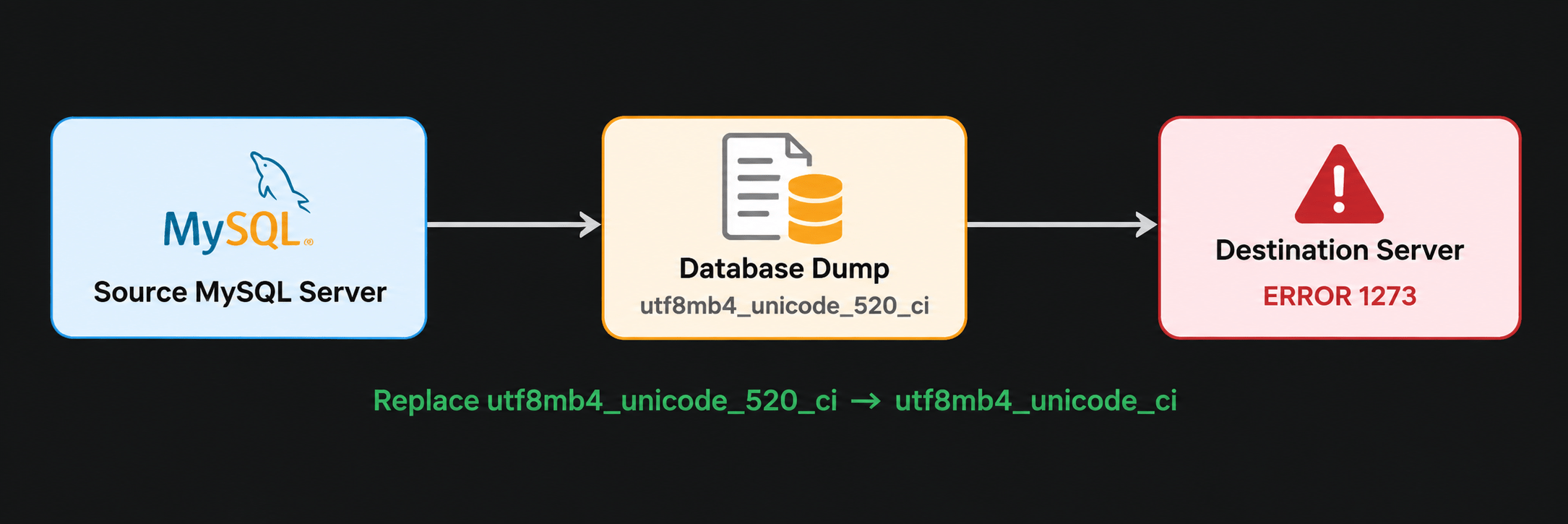
ERROR 1273 (HY000) at line 25:
Unknown collation: 'utf8mb4_unicode_520_ci'
Understanding the Error
Collations determine how text data is sorted and compared within a database. The collation utf8mb4_unicode_520_ci was introduced in newer versions of MySQL and may not be available in older versions.
When a database dump created on a newer MySQL server is imported into an older server, MySQL cannot recognize the unsupported collation and terminates the import process.
Migration Flow
Source Server (MySQL 5.7/8.0)
            │
            ▼
      Database Dump
            │
            ▼
Destination Server (Older MySQL)
            │
            ▼
ERROR 1273:
Unknown collation
utf8mb4_unicode_520_ci
            │
            ▼
Replace Collation
      or
Upgrade MySQL
            │
            ▼
Successful Import
Cause
This issue generally occurs because:
- The source server uses a newer MySQL version.
- The destination server uses an older MySQL version.
- The SQL dump contains unsupported collations.
- The database is being migrated between different hosting environments.
- Character set and collation settings differ between servers.
Resolution
To fix the issue, search the SQL dump file for all occurrences of:
utf8mb4_unicode_520_ci
and replace them with:
utf8mb4_unicode_ci
Using the Replace Command
replace utf8mb4_unicode_520_ci utf8mb4_unicode_ci -- mydump.sql
Using Sed on Linux
sed -i 's/utf8mb4_unicode_520_ci/utf8mb4_unicode_ci/g' mydump.sql
Once the replacement is complete, import the database again.
Alternative Solution: Upgrade MySQL
If upgrading the destination server is possible, install a MySQL version that supports utf8mb4_unicode_520_ci. This is the preferred long-term solution because it maintains complete compatibility with the original database dump.
Best Practices for Future Database Migrations
- Verify MySQL versions on both servers before migration.
- Test database backups in a staging environment.
- Use consistent character sets and collations.
- Keep MySQL servers updated.
- Create a backup before modifying dump files.
- Document server configurations for future migrations.
Conclusion
The ERROR 1273 (HY000): Unknown collation ‘utf8mb4_unicode_520_ci’ is a common MySQL migration issue caused by version incompatibility between source and destination servers. Fortunately, the problem can be resolved quickly by replacing the unsupported collation with a compatible one or by upgrading the target MySQL version. Following proper migration practices can help prevent similar issues and ensure smooth database transfers.
Frequently Asked Questions (FAQ)
1. Why do I get the “Unknown collation utf8mb4_unicode_520_ci” error?
This error occurs when a database dump created on a newer MySQL version is imported into an older MySQL server that does not support the utf8mb4_unicode_520_ci collation.
2. Is it safe to replace utf8mb4_unicode_520_ci with utf8mb4_unicode_ci?
Yes. In most cases, replacing it is safe and allows the database import to complete successfully. There may be minor differences in text sorting behavior, but they rarely affect typical applications.
3. How can I prevent this error in future migrations?
Use compatible MySQL versions on both source and destination servers, verify collations before exporting databases, and test imports in a staging environment before production deployment.
Related Articles
- How to Solve 404 Not Found Error While Accessing Subpages on Website
- How to Fix CodeIgniter 404 Error on Nginx
Talk to our experts
Looking for the right technology solution for your business? Our team of experts can help you with development, cloud, DevOps, design, and a wide range of other technology needs. Get in touch with our team here.