Introduction:
WHM allows server administrators to enable shell access for cPanel users. Shell access provides command-line access to the server through SSH, which is useful for managing files, running scripts, using Git, and performing administrative tasks.
Prerequisites:
Before proceeding, ensure the following:
- Root access to WHM
- SSH service running on the server
- Existing cPanel account
- Appropriate security permissions
Implementation:
Step 1: Login to WHM.
Step 2: Type as manage shell access in the Search box and select Manage Shell Access.
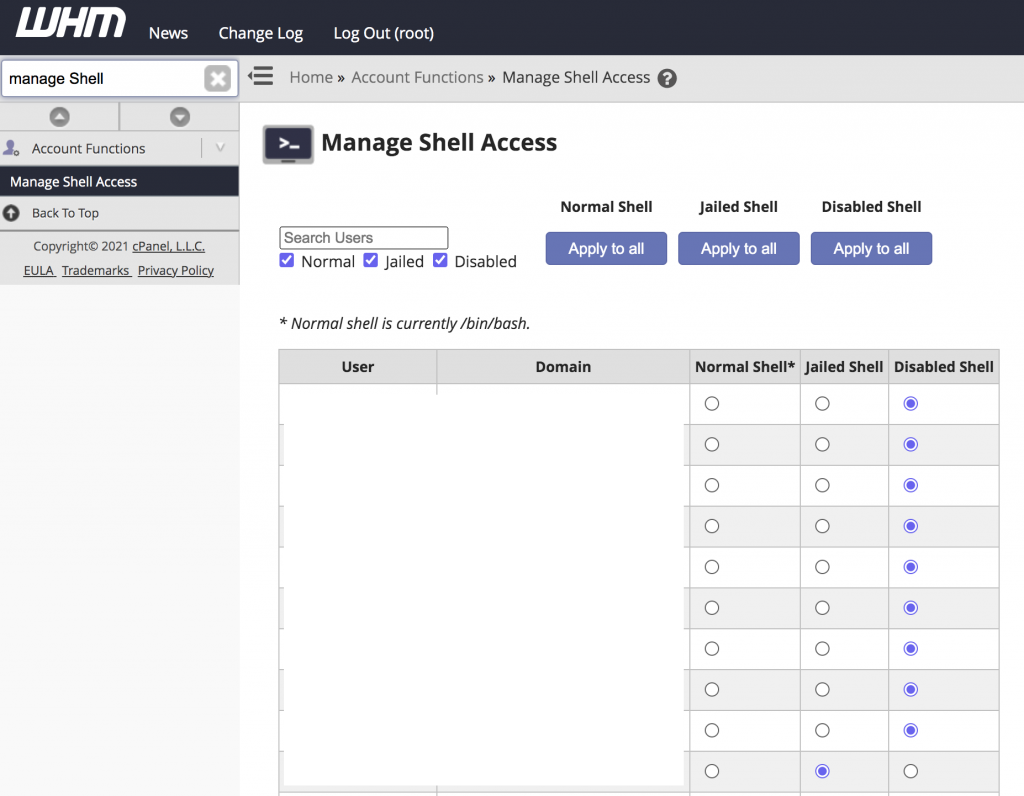
Step 3: Find the cPanel user account you need to modify and select the radio button for "normal shell" or "jailshell". Once you made your selection, WHM will automatically save the changes.
Conclusion:
WHM makes it simple to enable or modify shell access for cPanel users. Using Jailshell is recommended for most hosting environments because it provides secure and restricted SSH access while protecting the server from unauthorized activities.