Introduction
cPanel allows users to change the interface language according to their preference for easier navigation and management.
Prerequisites
Before proceeding, ensure:
- Valid cPanel login credentials
- Access to the cPanel account
Implementation
Step 1: Login to cPanel account.
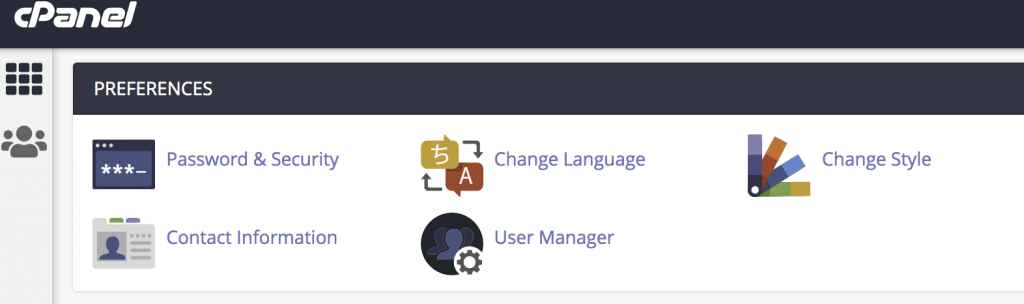
Step 2: Click Change Language in the PREFERENCES section of the cPanel home screen.
Step 3: Select the language you want cPanel to use In the Select a Language list box.
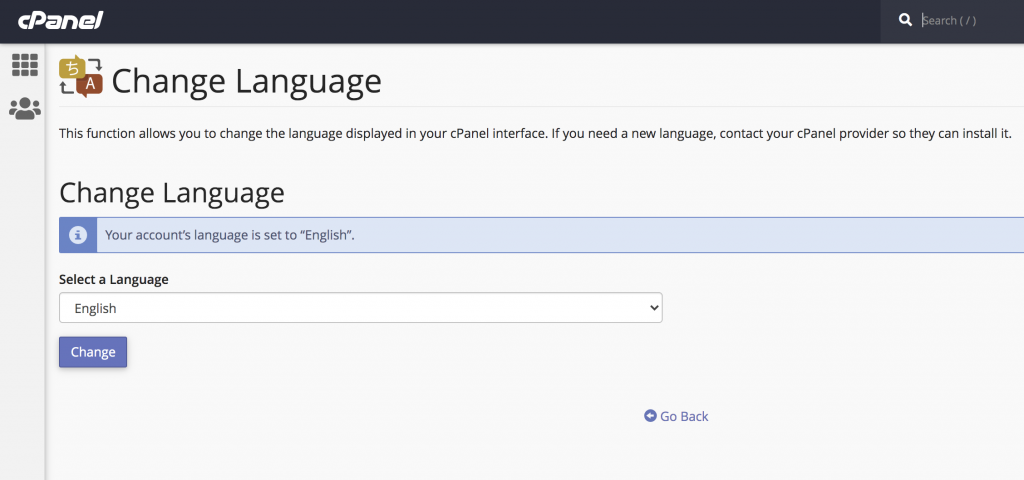
Step 4: Click Change.
Conclusion
Changing the language in cPanel helps users manage their hosting account more comfortably using their preferred language.