Introduction
When you purchase or upgrade a cPanel license, the license information on your server may not update automatically. You need to manually refresh the license on the server so that cPanel recognizes the updated or renewed license. This ensures that all cPanel services continue to function without interruption.
Prerequisites
Before renewing the cPanel license, ensure the following:
- You have root (SSH) access to the server
- Your server has active internet connectivity
- The server IP has a valid cPanel license purchased or renewed
- You know the server’s primary IP address
- cPanel services are installed in the default path:
/usr/local/cpanel/
Steps to Renew cPanel License
Step 1: Verify License Status
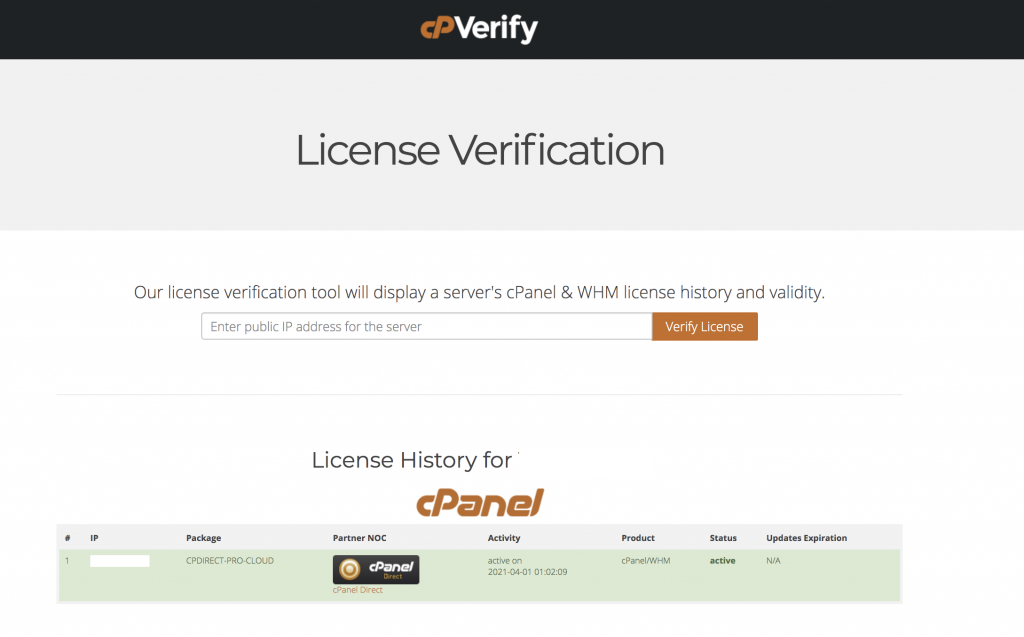
Check whether your server IP has a valid cPanel license:
- Go to: http://verify.cpanel.net
- Enter your server IP address
- Click Verify License
If the license is valid, it will display confirmation details.
Step 2: Login to Server
Connect to your server using SSH as the root user:
ssh root@your-server-ip
Step 3: Refresh cPanel License
Run the following command to update the license:
/usr/local/cpanel/cpkeyclt
This command contacts the cPanel licensing server and refreshes the license on your system.
Step 4: Confirm Output
If successful, you will see a message indicating that the license has been updated successfully.

Conclusion
Renewing a cPanel license is a simple process that involves verifying the license status and refreshing it on the server using the cpkeyclt command. Once completed, your cPanel services will continue working without interruption, ensuring smooth server operations.