Introduction
WHM provides a backup retention feature that allows administrators to control how many backup copies are stored on the server. Adjusting the retention count helps manage disk space efficiently while ensuring sufficient backup restore points are available.
Prerequisites
Before proceeding, ensure the following:
- You have root access to the WHM panel.
- Backup functionality is enabled on the server.
- Sufficient privileges to modify backup settings.
Implementation
Step 1: Log in to the WHM panel.
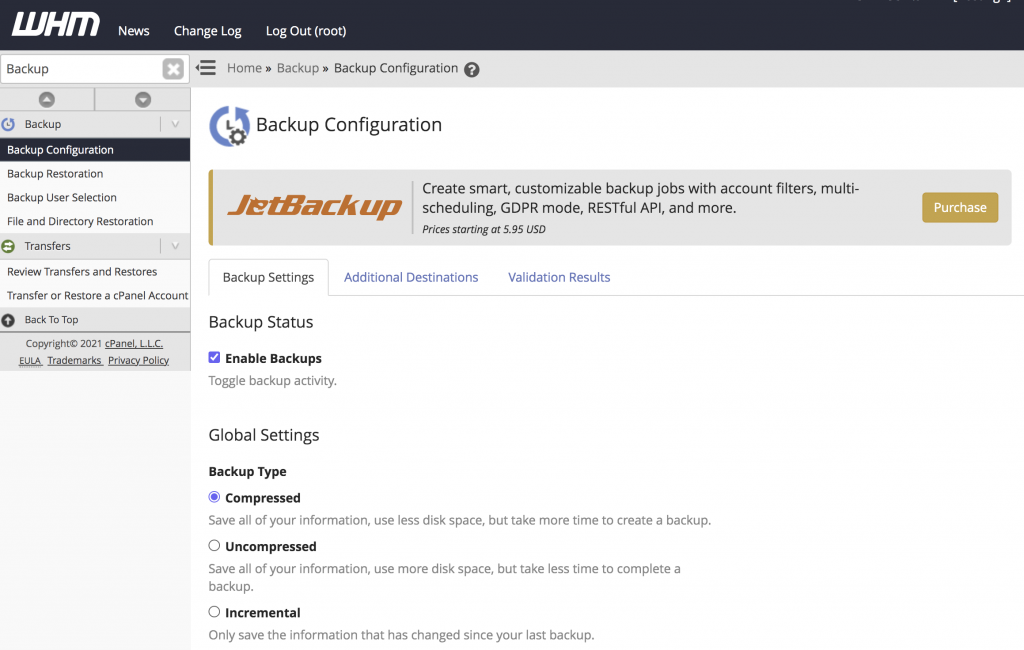
Step 2: Please click on Backup Configuration under the Backup section.
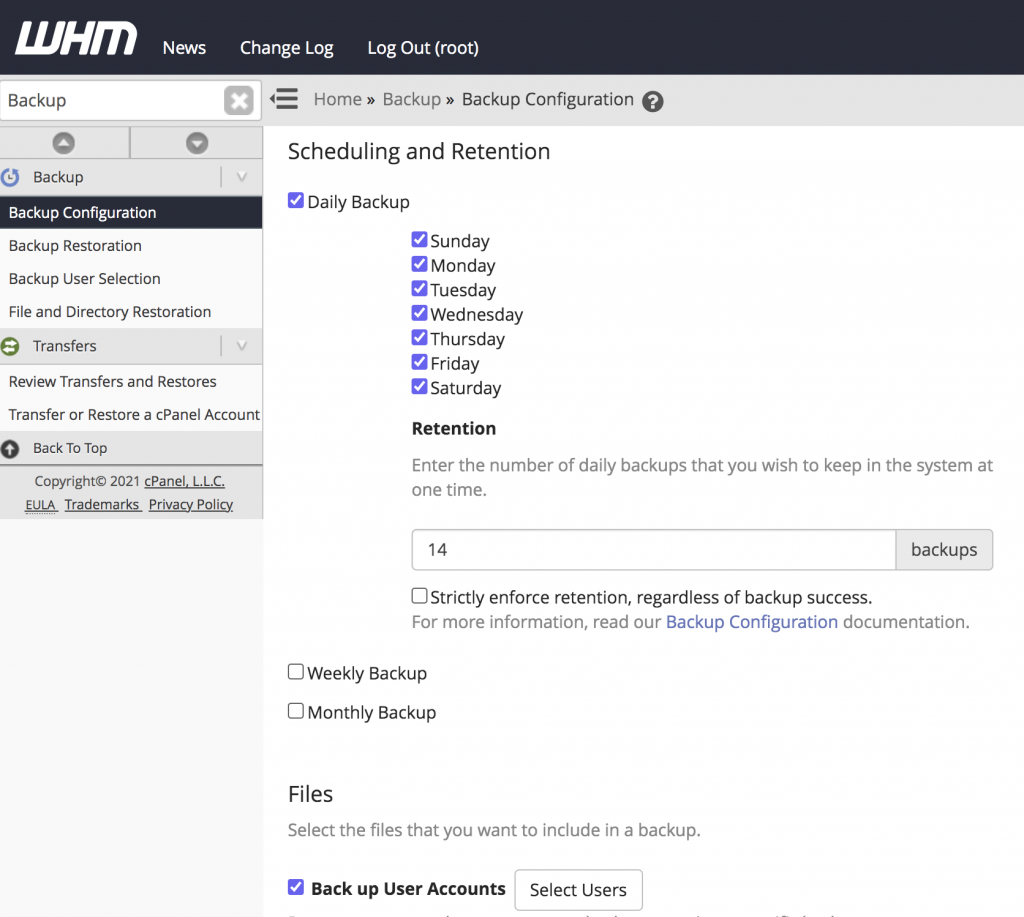
Step 3: Please scroll down to the Scheduling and Retention section on this page. You can enter the number of backups that you wish to retain under the Retention section.
Conclusion
By adjusting the backup retention settings in WHM, you can better manage server storage usage while maintaining the required number of backup restore points. Regularly reviewing backup retention policies helps optimize disk space and ensures reliable backup management.