
Introduction
Checkboxes are a common form element, but detecting whether one is checked or unchecked in real time — and reacting to that change — trips up a lot of beginners working with jQuery. This guide shows how to check and uncheck a checkbox using jQuery, using the .prop() method and a simple click event to detect the checkbox’s current state.
Implementation
I. Prerequisites
- A web page you can add HTML and JavaScript to
- Basic familiarity with HTML forms
II. How This Works
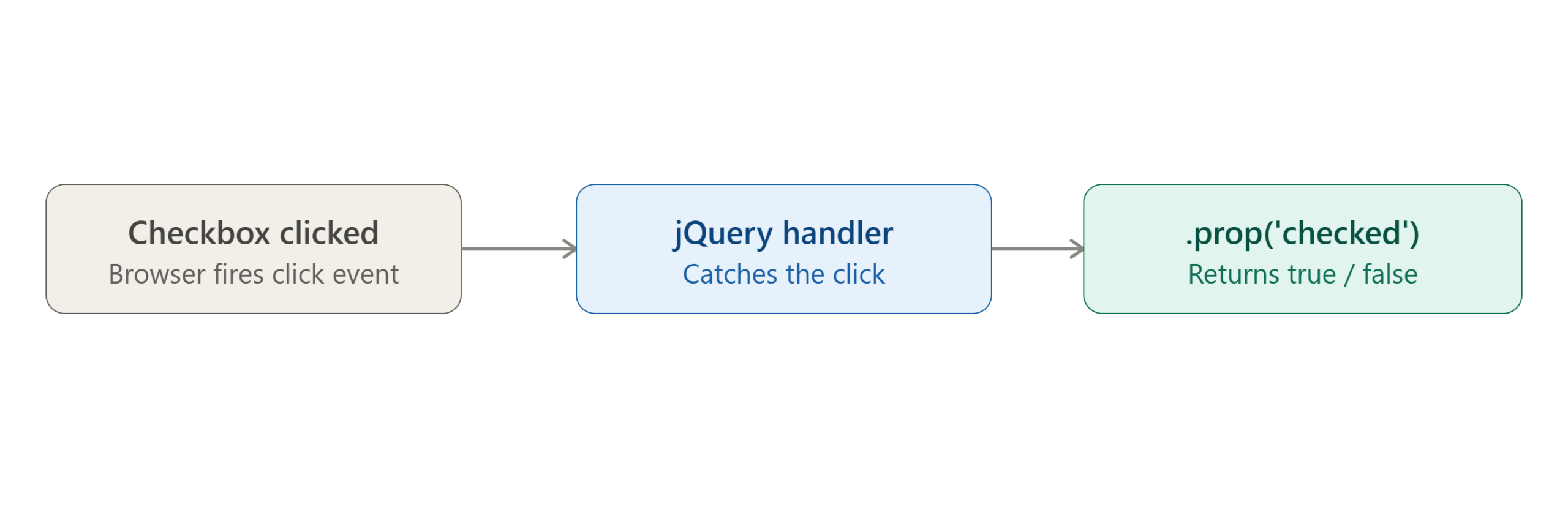
- The browser fires a click event whenever the checkbox is clicked
- jQuery’s event handler catches that click and checks the checkbox’s current state
.prop('checked')returnstrueorfalsedepending on whether the box is checked
III. Include the jQuery Library
Before writing any jQuery code, you need to include the library itself. Add this inside your page’s <head> section:
<script src="https://ajax.googleapis.com/ajax/libs/jquery/3.7.1/jquery.min.js"></script>
Note: The original CDN link for jQuery 1.8.1 is outdated and served over an insecure
http://connection. The version above uses the current jQuery CDN over HTTPS — always prefer a recent, secure version unless you have a specific compatibility reason not to.
IV. Build the HTML Page
Here’s the complete, working example:
<!DOCTYPE html>
<html>
<head>
  <title>Check/Uncheck Checkbox Example</title>
  <script src="https://ajax.googleapis.com/ajax/libs/jquery/3.7.1/jquery.min.js"></script>
</head>
<body>

  <input type="checkbox" class="test" value="">

  <script>
    $(document).on('click', '.test', function () {
      if ($(this).prop('checked') === true) {
        alert('Checked: true');
      } else {
        alert('Checked: false');
      }
    });
  </script>

</body>
</html>
V. What Changed From a Typical First Attempt
A few small but important fixes make this version actually work:
- The jQuery include must use
<script>, not<source>. The<source>tag is meant for<video>/<audio>/<picture>elements — browsers won’t execute JavaScript loaded through it, so the script would silently fail to run. - The click handler must live inside a
<script>tag. Raw JavaScript placed directly in the HTML body (outside any<script>block) is treated as plain text by the browser and never executes. $(this)instead of$('.test')inside the handler. Using$(this)refers to the specific checkbox that was clicked, which matters if you ever have more than one checkbox sharing the.testclass —$('.test')would always check the first matching element instead of the one the user actually clicked.
VI. How It Works
$(document).on('click', '.test', function() {...})attaches a click event handler to any element with the classtest, using event delegation so it also works on checkboxes added to the page dynamically after load.$(this).prop('checked')returnstrueif the checkbox is currently checked, andfalseif it isn’t.- The
if/elseblock simply checks that value and shows an alert reflecting the current state.
VII. Conclusion
Detecting a checkbox’s checked state in jQuery comes down to one method: .prop('checked'), checked inside a click handler. The example above fixes two easy-to-miss mistakes — using <source> instead of <script>, and leaving JavaScript outside a <script> tag — either of which would silently break the whole example. With those corrected, clicking the checkbox will reliably alert true when checked and false when unchecked.
Frequently Asked Questions
Should I use .prop() or .attr() to check a checkbox’s state? Use .prop(). It reflects the checkbox’s current, live state (checked or not), while .attr() reflects the original HTML attribute and can give outdated results after the user interacts with the page.
How do I programmatically check or uncheck a checkbox with jQuery, instead of just detecting clicks? Use .prop('checked', true) to check it, or .prop('checked', false) to uncheck it — for example: $('.test').prop('checked', true);
Why use event delegation ($(document).on(...)) instead of $('.test').click(...)? Event delegation ensures the handler still works for checkboxes added to the DOM after the page initially loads — a direct .click() binding only attaches to elements that already exist at the time the code runs.
Related Articles
How to Configure a Static IP Address on CentOS7
How to Install phpMyAdmin on Ubuntu
Talk to our experts.
Looking for the right technology solution for your business? Our team of experts can help you with development, cloud, DevOps, design, and a wide range of other technology needs. Get in touch with our team here.