
Introduction
GitHub is an online software development platform. It’s used for storing, tracking, and collaborating on software projects. It makes it easy for developers to share code files and collaborate with fellow developers on open-source projects
Prerequisites
- A GitHub account and its access
- Repository access
Implementation
Step 1: Access GitHub.com on the browser and navigate to the main page of the repository

Step 2: Click on the Settings tab

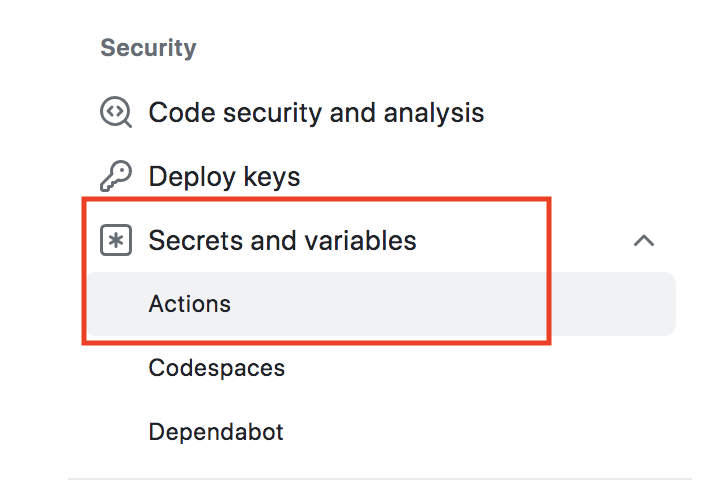
Step 3 In the “Security” section, select Secrets and Variables, then click on Actions
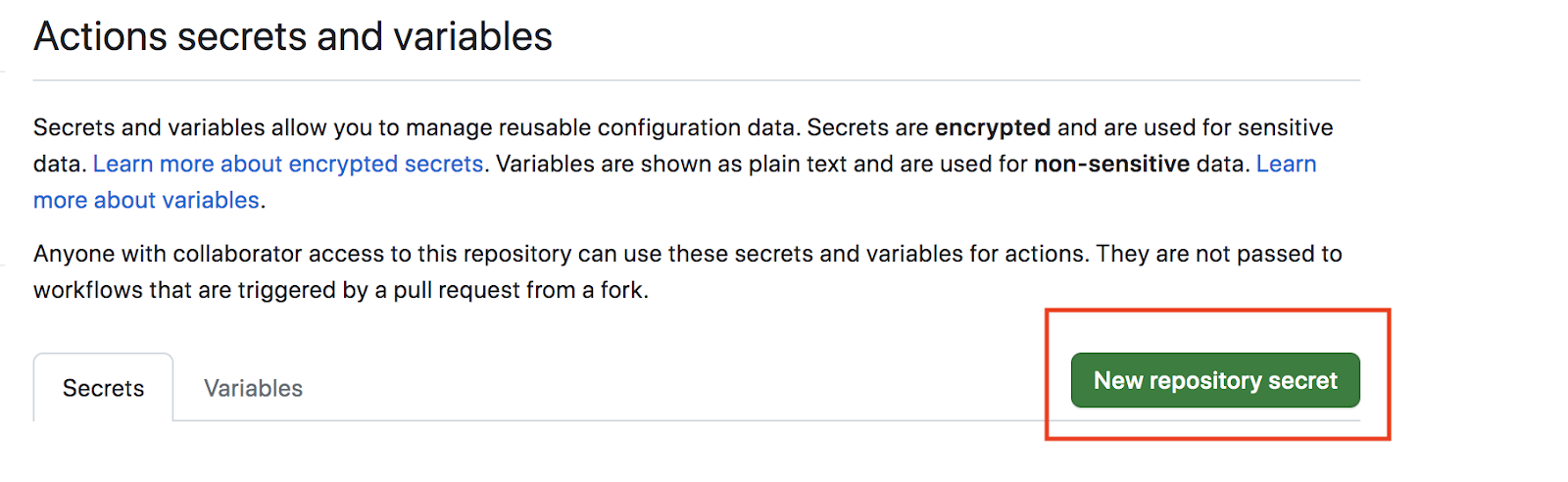
Step 4: Click on “New repository secret
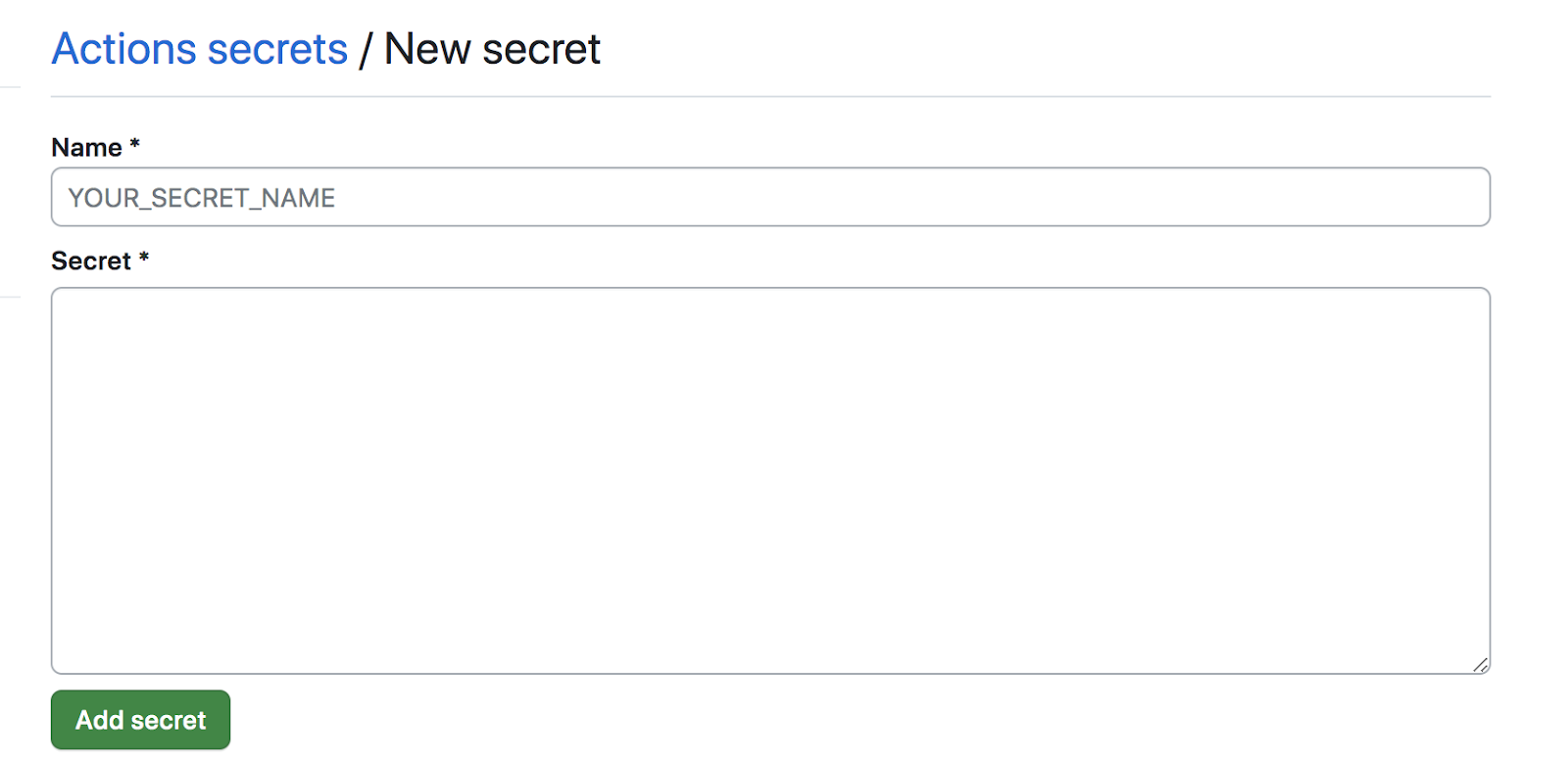
Step 5: Mention the secret name in the “Name” section and the secret value in the “Secret” section then click on Add secret
Step 6: Once the repository secret has been added successfully, we can find the details in the repository secret section
