
Introduction
This guide explains how to enable PDFlib support for PHP on Ubuntu, so PHP applications can generate PDFs using the PDFlib library.
One note upfront: the original version of this guide targeted PHP 7.0 and Ubuntu 16.04, both long past end-of-life. The steps below follow the same process but generalized to your actual current PHP version and Ubuntu release — check PDFlib’s download page for the current PDFlib version and matching PHP binding, since hardcoding an old version number (as the original did) can point you to a build that no longer matches your current PHP.
Implementation
I. Prerequisites
- Ubuntu (or another Linux distribution) with Apache and PHP installed
- Root or sudo access
- Knowledge of your server’s architecture and PHP version
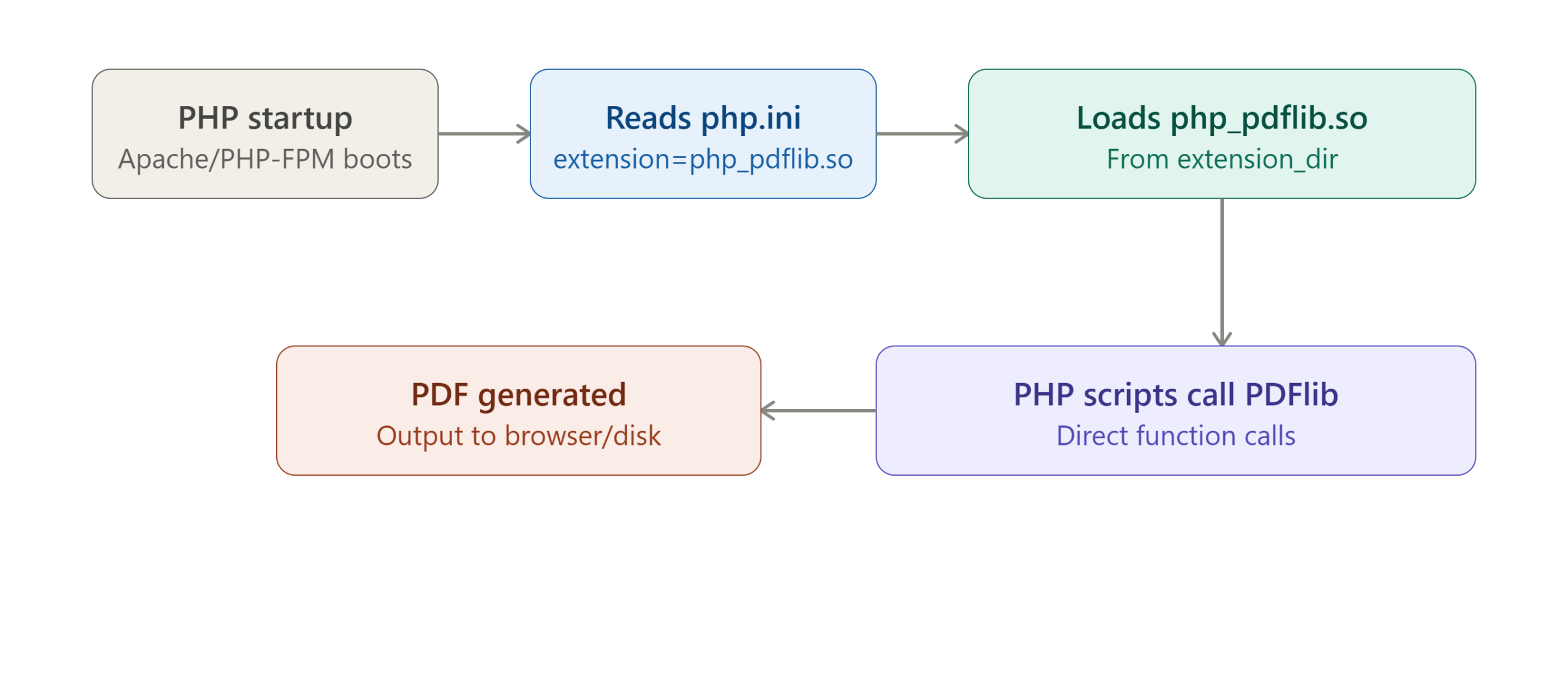
II. How PDFlib Fits Into PHP
- PDFlib ships as a PHP extension (
.sofile), specific to your PHP version and architecture - PHP loads it at startup based on your
php.iniconfiguration - Once loaded, your PHP scripts can call PDFlib’s functions directly to generate PDFs
III. Download PDFlib
Check your server’s architecture, then download the matching PDFlib package from the official PDFlib site — the exact filename will include the current version number, which changes over time:
cd /usr/local/src
wget https://www.pdflib.com/binaries/PDFlib/<VERSION>/PDFlib-<VERSION>-Linux-x86_64-php.tar.gz
tar -xvf PDFlib-<VERSION>-Linux-x86_64-php.tar.gz
cd PDFlib-<VERSION>-Linux-x86_64-php/
Replace
<VERSION>with the actual current version shown on PDFlib’s download page — don’t reuse an old version number from an outdated guide, since it may no longer be available or compatible with your PHP version.
IV. Find Your PHP Extension Directory
php -i | grep extension_dir
Note: The original command was
php -ini, which isn’t a valid PHP flag. The correct flag is-i(info), as shown above.
This shows a path like /usr/lib/php/20220829 — the exact directory number is specific to your PHP version’s ABI.
V. Copy the Extension File
Inside the extracted PDFlib folder, find the .so file matching your PHP version (for example, bind/php/php-82/php_pdflib.so for PHP 8.2), then copy it:
cp bind/php/php-<YOUR_PHP_VERSION>/php_pdflib.so /usr/lib/php/<YOUR_EXTENSION_DIR>/
VI. Add the Extension to php.ini
vi /etc/php/<YOUR_PHP_VERSION>/apache2/php.ini
Add:
extension=php_pdflib.so
VII. Verify Apache Configuration and Restart
apachectl -t
If it returns Syntax OK, restart Apache:
systemctl restart apache2
The original guide used
/etc/init.d/apache2 graceful, which still works on many systems, butsystemctl restart apache2is the current standard approach on systemd-based distributions.
VIII. Verify
Create a phpinfo() test file and load it in your browser to confirm the PDFlib section appears.

IX. Conclusion
Enabling PDFlib for PHP comes down to matching the extension file to your exact PHP version and extension directory, then registering it in php.ini. Always check PDFlib’s current download page rather than reusing an old version number, and use php -i (not -ini) when locating your extension directory.
Frequently Asked Questions
Why doesn’t PDFlib show up in phpinfo after restarting? Usually a mismatched PHP version between the .so file and your actual PHP installation, or an incorrect extension_dir path — double-check both against your php -i output.
Is PDFlib free to use? PDFlib offers both a free trial/lite version and paid licensed versions with additional features — check their site for current licensing details.
Do I need to rebuild the extension for each PHP update? Yes — since the .so file is tied to a specific PHP ABI version, updating PHP typically requires downloading and installing the matching PDFlib build again.
Related Articles
How to Install AVideo/YouPHPTube on Ubuntu Server
Using PHP and Cron to Automate Kannel Status Monitoring
Talk to our experts.
Looking for the right technology solution for your business? Our team of experts can help you with development, cloud, DevOps, design, and a wide range of other technology needs. Get in touch with our team here.
That explanations was so useful for me.Thanks