
Post Date: September 10, 2018
Last Updated: September 22, 2026
Introduction
Dynamic menus are a common requirement in modern web applications. Instead of hardcoding menu items, storing menu data in a database allows administrators to add, update, or remove menu entries without modifying application code.
In this tutorial, we will create a dynamic multi-level menu (parent and child categories) using CodeIgniter and MySQL. The menu structure will be generated recursively from a database table, making it suitable for category trees, navigation menus, product catalogs, and content management systems.
By the end of this guide, you will learn how to:
- Create a category table in MySQL
- Fetch parent and child categories dynamically
- Build recursive menu structures
- Organize code using CodeIgniter’s MVC architecture
- Generate unlimited menu levels
Prerequisites
Before starting, ensure you have:
- CodeIgniter installed and configured
- MySQL database configured
- Basic knowledge of:
- PHP
- MySQL
- CodeIgniter MVC structure
- Database connectivity configured in
application/config/database.php
How It Works
The application follows this process:
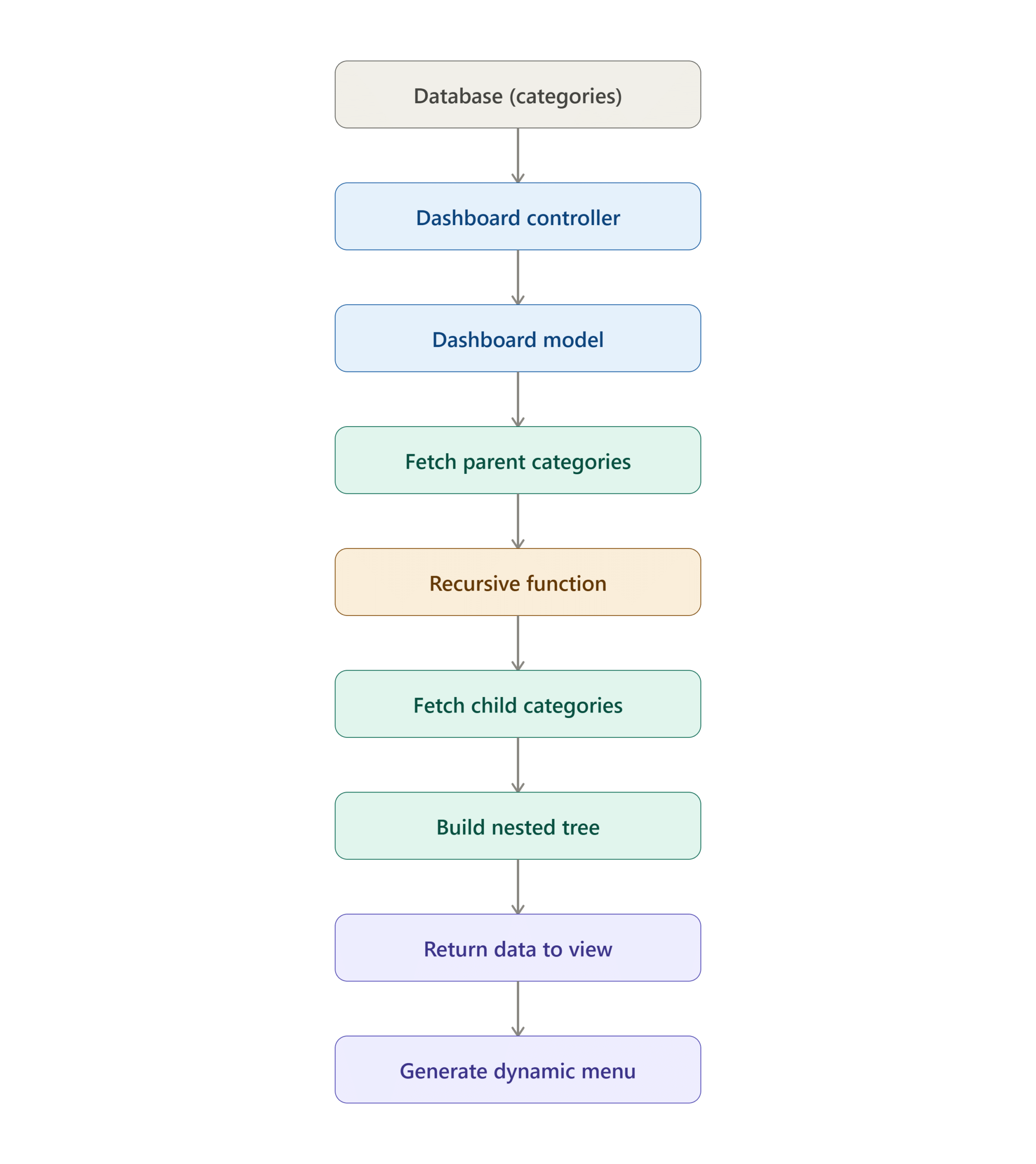
Database Structure
Step 1: Create Categories Table
Execute the following SQL query:
CREATE TABLE `categories` (
  `cat_id` int(10) unsigned NOT NULL AUTO_INCREMENT,
  `cat_name` varchar(50) COLLATE latin1_general_ci NOT NULL,
  `parent_id` int(10) unsigned NOT NULL DEFAULT '0',
  PRIMARY KEY (`cat_id`)
) ENGINE=InnoDB AUTO_INCREMENT=12 DEFAULT CHARSET=latin1 COLLATE=latin1_general_ci;
Table Explanation
| Column | Description |
|---|---|
| cat_id | Unique category ID |
| cat_name | Category name |
| parent_id | Parent category reference |
| 0 | Indicates a root category |
Example Data
| cat_id | cat_name | parent_id |
|---|---|---|
| 1 | Electronics | 0 |
| 2 | Mobile Phones | 1 |
| 3 | Android Phones | 2 |
| 4 | iPhones | 2 |
| 5 | Laptops | 1 |
Resulting Structure:
Electronics
├── Mobile Phones
│   ├── Android Phones
│   └── iPhones
└── Laptops
Step 2: Create Controller
Create a new controller file:
application/controllers/Dashboard.php
<?php
defined('BASEPATH') OR exit('No direct script access allowed');

class Dashboard extends MY_Controller {

    public function __construct()
    {
        parent::__construct();
        $this->load->model('Dashboard_model');
    }

    public function index()
    {
        $data['title'] = "Dashboard";
        $data['page_name'] = "Dashboard";

        $this->include_view('dashboard', $data);
    }

    public function categories()
    {
        $data = $this->Dashboard_model->get_categories();

        echo "<pre>";
        print_r($data);
        echo "</pre>";
    }
}
Controller Responsibilities
- Loads the model
- Requests category data
- Sends data to views
- Displays hierarchical category structure
Step 3: Create Model
Create a model file:
application/models/Dashboard_model.php
<?php
defined('BASEPATH') OR exit('No direct script access allowed');

class Dashboard_model extends CI_Model {

    public function get_categories()
    {
        $this->db->select('*');
        $this->db->from('categories');
        $this->db->where('parent_id', 0);

        $parent = $this->db->get();

        $categories = $parent->result();

        $i = 0;

        foreach ($categories as $p_cat)
        {
            $categories[$i]->sub = $this->sub_categories($p_cat->cat_id);
            $i++;
        }

        return $categories;
    }

    public function sub_categories($id)
    {
        $this->db->select('*');
        $this->db->from('categories');
        $this->db->where('parent_id', $id);

        $child = $this->db->get();

        $categories = $child->result();

        $i = 0;

        foreach ($categories as $p_cat)
        {
            $categories[$i]->sub = $this->sub_categories($p_cat->cat_id);
            $i++;
        }

        return $categories;
    }
}
Understanding the Recursive Function
The key feature of this implementation is recursion.
What Happens?
- Fetch all parent categories.
- For each parent category:
- Search for child categories.
- If child categories exist:
- Search for their children.
- Continue until no more child categories are found.
- Return the complete nested structure.
Recursive Flow
Parent Category
      │
      ▼
Find Child Categories
      │
      ▼
Child Found?
 ├─ No → Return
 └─ Yes
       │
       ▼
Call Function Again
       │
       ▼
Find Next Level Children
This approach supports unlimited menu depth.
Sample Output
Array
(
    [0] => stdClass Object
        (
            [cat_id] => 1
            [cat_name] => Electronics
            [parent_id] => 0
            [sub] => Array
                (
                    [0] => stdClass Object
                        (
                            [cat_id] => 2
                            [cat_name] => Mobile Phones
                            [parent_id] => 1
                        )
                )
        )
)
Benefits of Dynamic Menus
- No hardcoded navigation
- Easy administration
- Unlimited category levels
- Database-driven architecture
- Suitable for eCommerce sites
- Suitable for CMS platforms
- Better scalability
Performance Considerations
For large category trees:
Recommended Improvements
- Add an index on
parent_id
ALTER TABLE categories
ADD INDEX idx_parent_id(parent_id);
- Implement caching
- Use eager loading where possible
- Limit recursion depth if required
- Consider Nested Sets or Closure Tables for very large datasets
Conclusion
Creating a dynamic menu from a database in CodeIgniter is an effective way to build scalable and maintainable navigation systems. By using a recursive model function, you can generate multi-level category trees of any depth without hardcoding menu items.
This approach is ideal for:
- eCommerce category navigation
- CMS menus
- Product hierarchies
- Knowledge base structures
- Blog category systems
With proper indexing and caching, this solution can efficiently handle both small and large category structures while keeping your application flexible and easy to manage.
Frequently Asked Questions (FAQ)
1. Can this support unlimited menu levels?
Yes. The recursive function allows unlimited parent-child relationships.
2. What does parent_id = 0 mean?
It identifies root-level categories.
3. Can I display the data as a Bootstrap dropdown menu?
Yes. The returned array can be looped through recursively in a view to generate Bootstrap dropdown navigation.
Related Articles
- Restore Database on Xampp from command line
- Export data from Database to Excel Sheet(.xls) using Codeigniter
- Create a database and the user for that database in cPanel
Talk to our experts
Have a technology challenge or looking for the right solution for your business? Our team can help you with cloud, DevOps, development, infrastructure, design, and more. Feel free to reach out to our experts here.
Hi,
How abt the view page
Hi,
wer is the view page