
How to Configure a Retention Policy in Harbor
Introduction
As container images are built and pushed frequently, repositories can quickly accumulate multiple versions of artifacts. Over time, this leads to increased storage usage and unnecessary clutter. To manage this effectively, implementing a retention policy is essential.
In Harbor, retention policies allow you to automatically remove older artifacts while keeping only the required recent versions. In this blog, we will walk through how to configure a retention policy to keep only the last 5 artifacts and how to schedule automatic cleanup.
Step-by-Step: Create Retention Policy
Step 1: Login to Harbor
Login to your Harbor portal using a Project Admin or System Admin account.
Step 2: Navigate to the Project
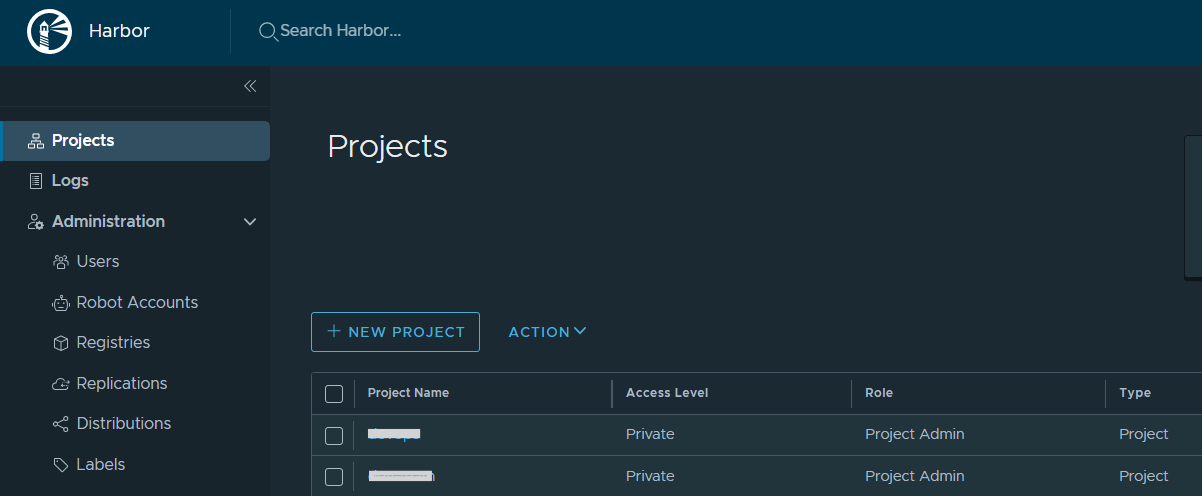
Step 3: Go to Policy Section
- Inside the project, click on Policies
- Under the policy option, you will see Retention Rules
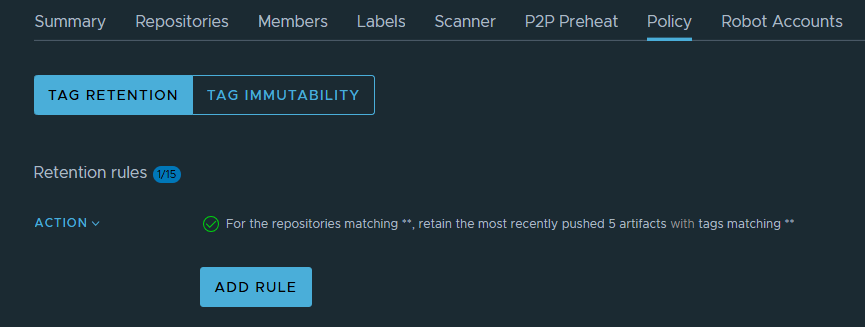
Here, you can update or configure the retention rules.
Step 4: Add a Retention Rule
1. Click on Add Rule
2. Now provide the required details:
- Repository: Select a specific repository OR use
**to apply to all repositories - Tags: Use
**to include all tags - Rule Type: Select retain the most recently pushed # of artifacts
- Number: 5 ( based on the requirement)
3. Click Add
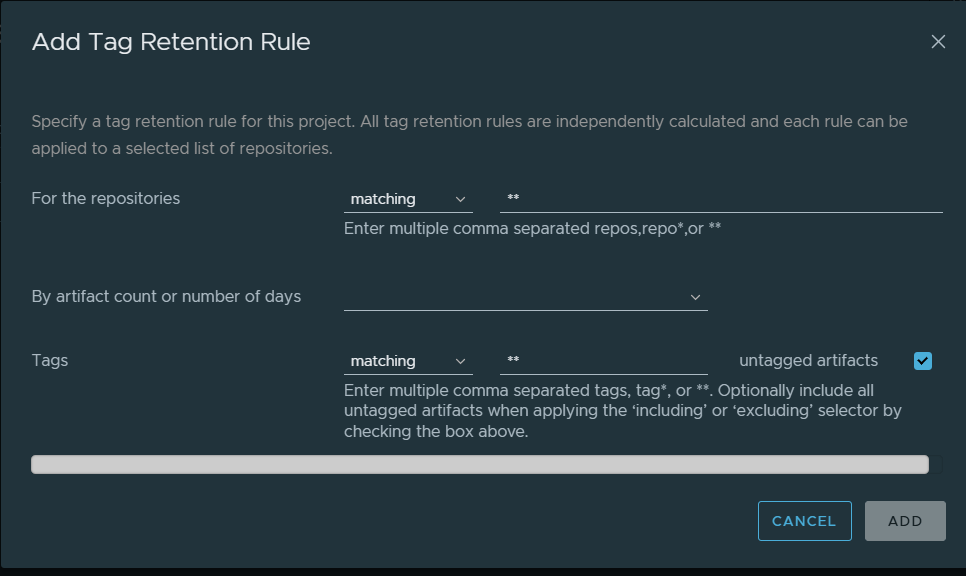
After adding the rule, click ADD to apply the retention policy.
Schedule Automatic Cleanup
In the same Retention section, there is another option called Schedule.
Using this option:
- Click on Schedule
- Enable scheduling
- Set the preferred time (for example, daily at 2:00 AM)
- Save the schedule
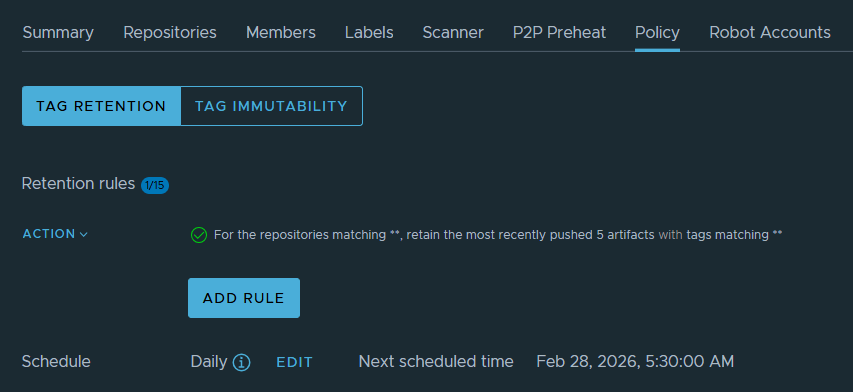
This allows Harbor to automatically clean up old artifacts based on the retention rule at the scheduled time.
Conclusion
Retention policies in Harbor provide an efficient way to control artifact storage and maintain repository hygiene. By configuring a rule to keep only the last 5 artifacts and scheduling automatic cleanup, you ensure that your container registry remains optimized and well-managed.
Implementing proper retention and scheduling policies is a best practice for maintaining a stable and scalable container registry environment.
