
Configure multiple php on litespeed cPanel server
Configure multiple php on litespeed cPanel server
Date posted: 04-09-2017
By default cPanel runs with apache webserver. Normally Easy apache 4 or Easy apache 4 will help on installing multiple php version. In this post, we will explain on how to configure litespeed webserver to use multiple php version.
Prerequisites:
- WHM access(Default URL will be http://IPaddress:2086)
- Litespeed Admin Panel access(Default URL will be http://IPaddress:7080)
- Server root access details.
Implementation:
Install the ea-phpxx-php-litespeed version. In this post, we will show on how to install php 55 on litespeed
yum install ea-php55-php-litespeed
Incase if we want to install different version of php or multiple version of php, use the following command
yum install ea-php56-php-litespeed ea-php71-php-litespeed
This will create below file incase if you install php 55
ls -la /opt/cpanel/ea-php55/root/usr/bin/lsphp
Incase if we install multiple version of php then corresponding file will be created on /opt/cpanel/ea-phpxx/root/usr/bin.
Login to litespeed panel using the IP address(http://IPaddress:7080)
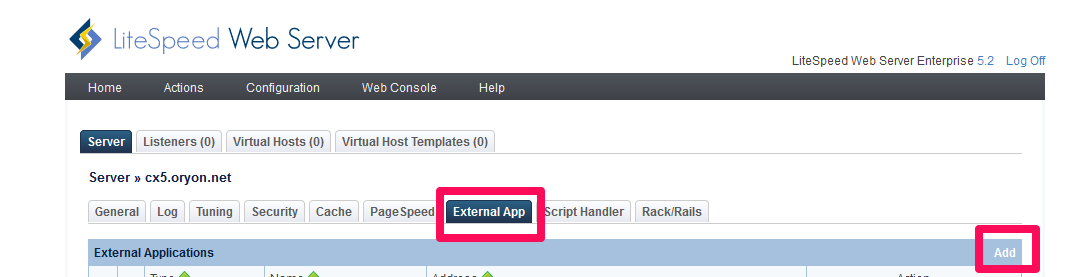
Go to Configuration > External App > Add
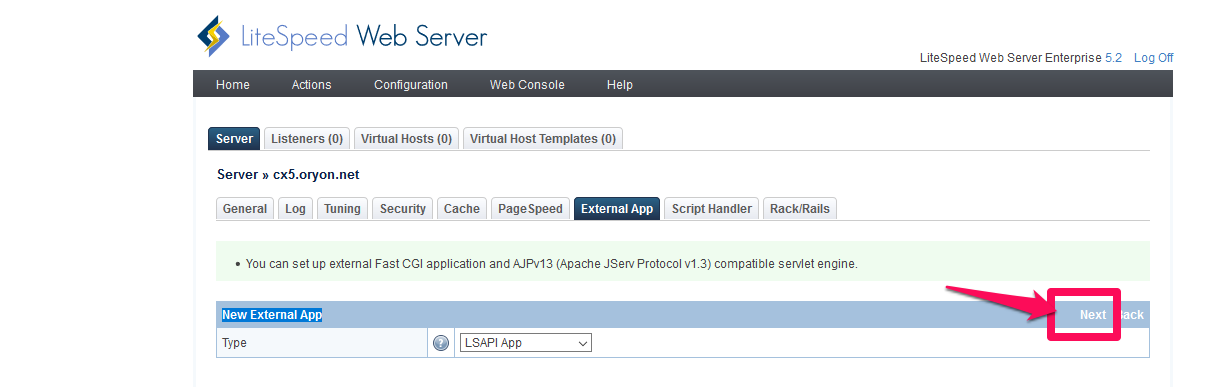
Select New External App and click on Next
Add the following information
Name: php55
Command:/opt/cpanel/ea-php55/root/usr/bin/lsphp
Leave the remaining options to default.
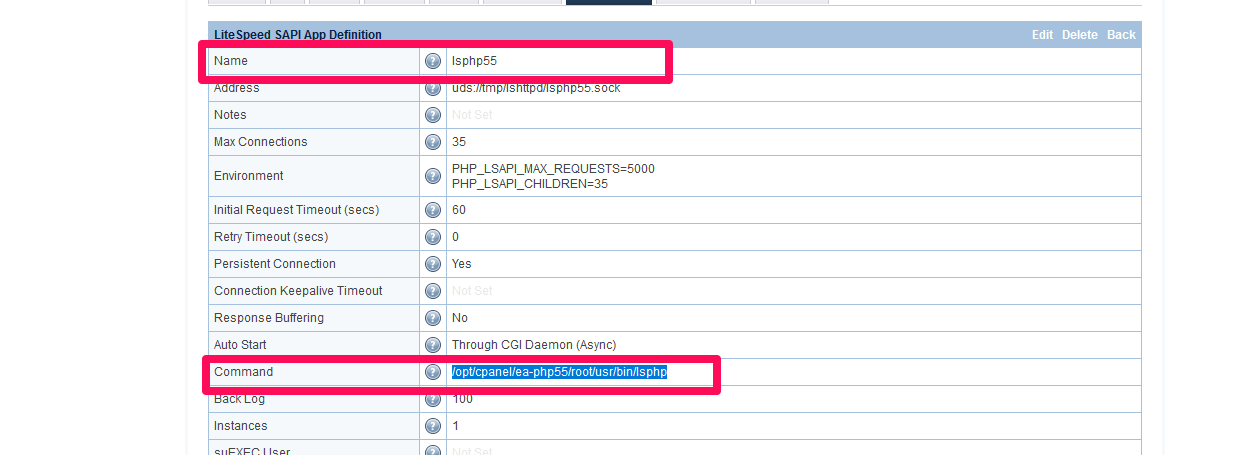
Click on Save to complete the app.
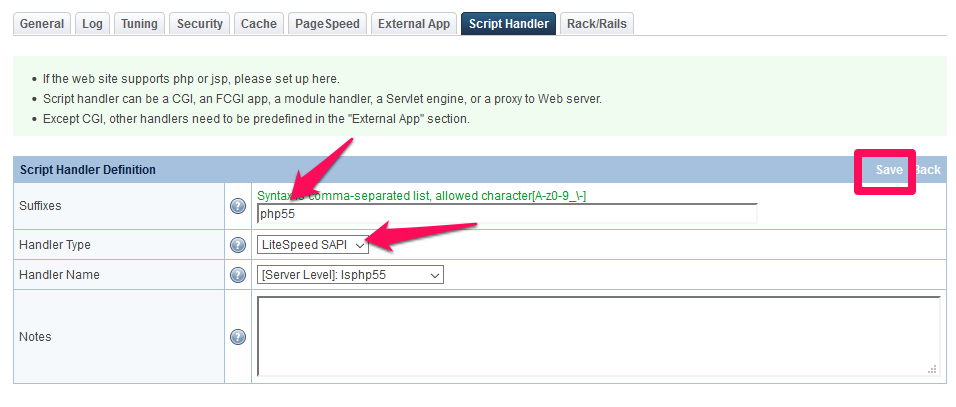
Under Script handler, click on Add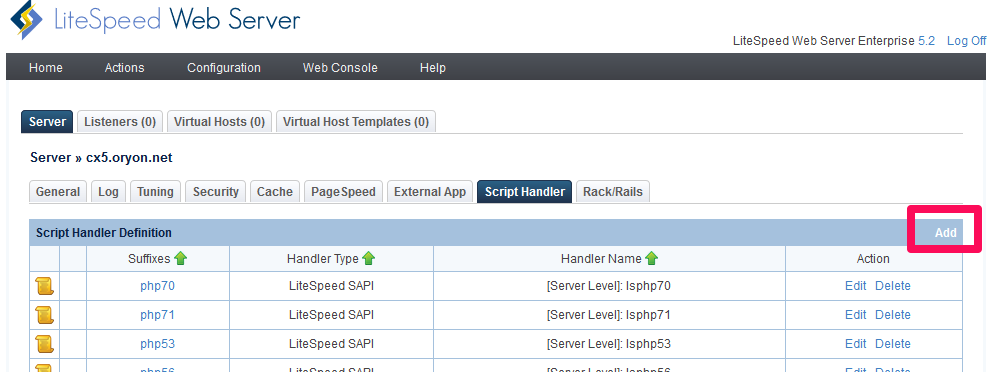
Add the following information.
Suffixes:php55
Handler Type: Litespeed SAPI
Handler Name: lsphp55
Restart litespeed service from WHM(Home >> Plugins >> LiteSpeed Web Server Plugin)
Now, you can switch the Php version from WHM for any domain(Home >> Software >> MultiPHP Manager
