
ERROR 1153 (08S01) at line 8606: Got a packet bigger than ‘max_allowed_packet’ bytes.
Date: 22-05-2021
Introduction:
When doing a very large MySQL import from a dump file you may get this error. You can follow the below steps to solve this error.

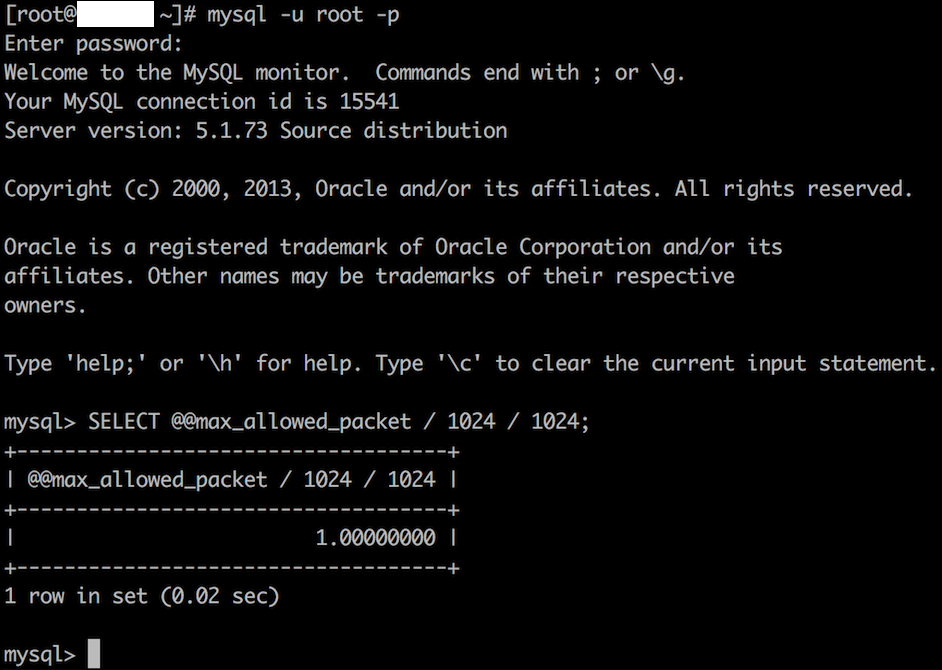
Step 1: You can see the current configured maximum packet size for your installed mysql service. Log in to your MySQL shell with root privileges. Use below command to get value in MB. mysql> SELECT @@max_allowed_packet / 1024 / 1024;
In below image has 1MB value you need to change this value to 100MB.
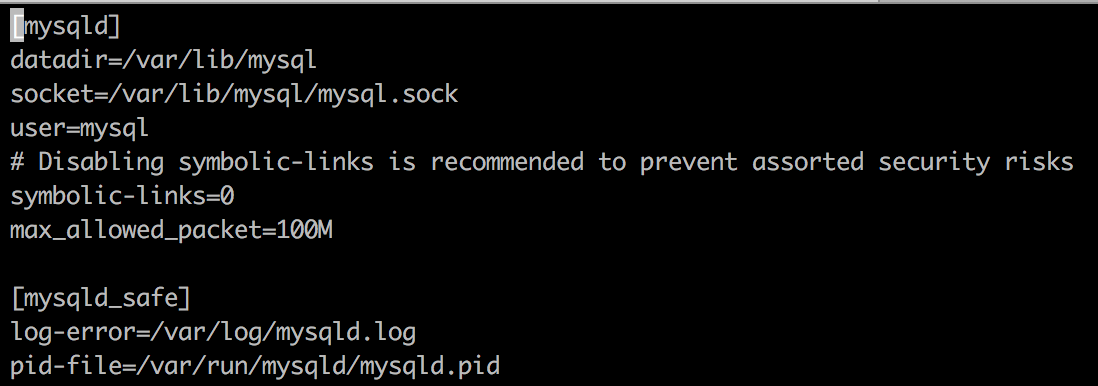
Step 2: Login to the server and edit the /etc/mysql/my.cnf or /etc/my.cnf or my.ini file under the mysqld section and add below detail.max_allowed_packet=100M
Step 3: Restart the mysql service to apply these settings in server. You can verify this value as changed to 100 MB by using command in Step 1.
Note: You can change the maximum allowed packet size when running the mysql below command as a parameter. This increases the maximum packets value that client will send to the server.# mysql --max_allowed_packet=100M DBname < Dump file.sql
Thank you!