
How to Create an API Key in SMTP2GO
Introduction
An API key in SMTP2GO enables secure authentication for applications, scripts, and third-party services without exposing your account password. API keys are commonly used to integrate SMTP2GO with web applications, automation tools, and custom software that require API-based access for sending emails or interacting with SMTP2GO services.
Prerequisites
Before you begin, ensure that you have:
- An active SMTP2GO account.
- Access to the SMTP2GO Dashboard.
- Administrator or account owner privileges to create API keys
IMPLEMENTATION
Step 1: Log in to the SMTP2GO Dashboard
- Open a web browser and sign in to your SMTP2GO account.
- After successful authentication, you will be redirected to the SMTP2GO Dashboard.
Step 2: Navigate to the API Keys Section
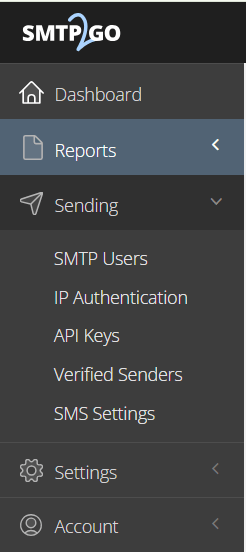
- From the left-hand navigation menu, select Sending.
- Click API Keys.
The API Keys page displays all existing API keys associated with your account.
Step 3: Create a New API Key
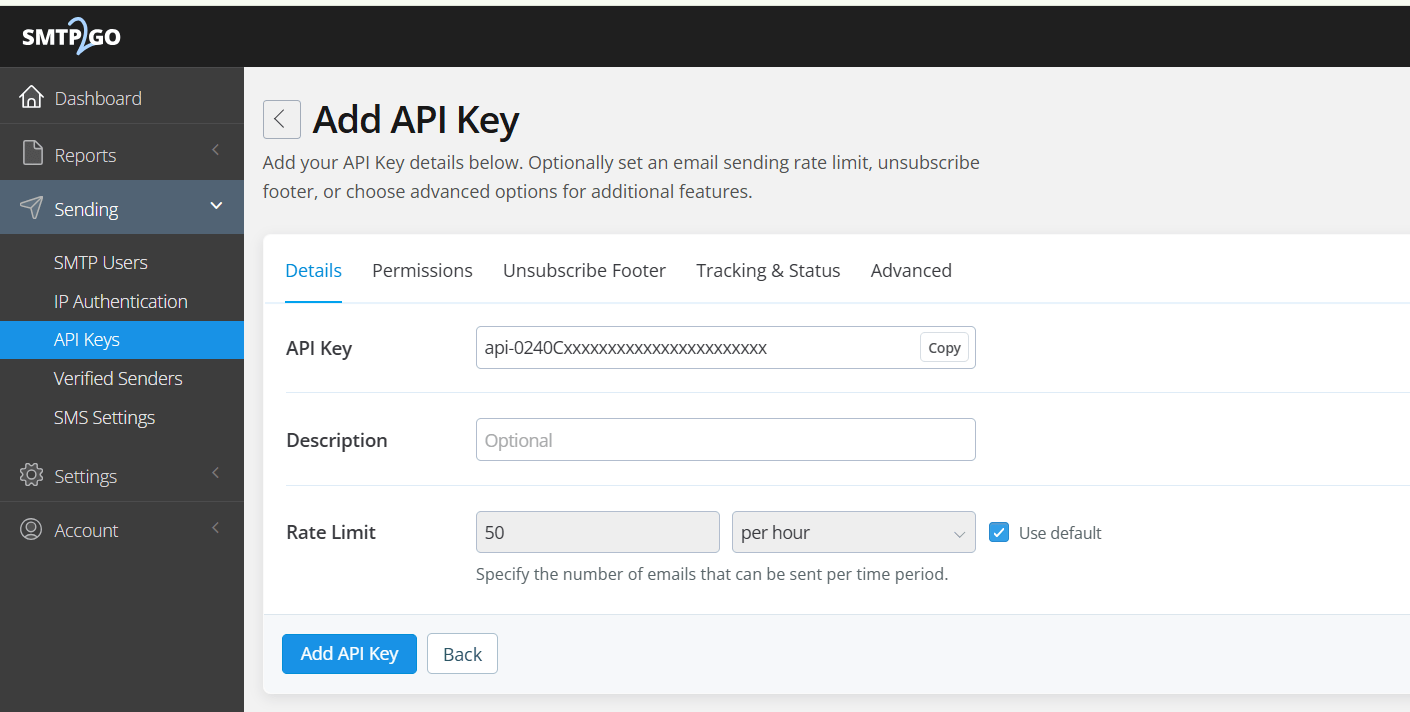
- Click Add API Key.
- Optionally, add a description to help identify the purpose of the key.
- Click Add API Key to generate the API key.
Step 4: Save the API Key
Once the API key is generated:
- Copy the API key immediately.
- Store it in a secure location, such as a password manager or a secure secrets management solution.
Step 5: Verify the API Key
After creating the API key:
Confirm that the newly created key appears in the API Keys list.
Conclusion
Creating an API key in SMTP2GO is a straightforward process that enables secure authentication for applications and integrations without exposing your account credentials. By following the steps outlined in this guide and adhering to security best practices, you can effectively manage API access while maintaining the security and integrity of your SMTP2GO account.
