
Post Date: April 24, 2023
Last Updated: November 02, 2026
Introduction
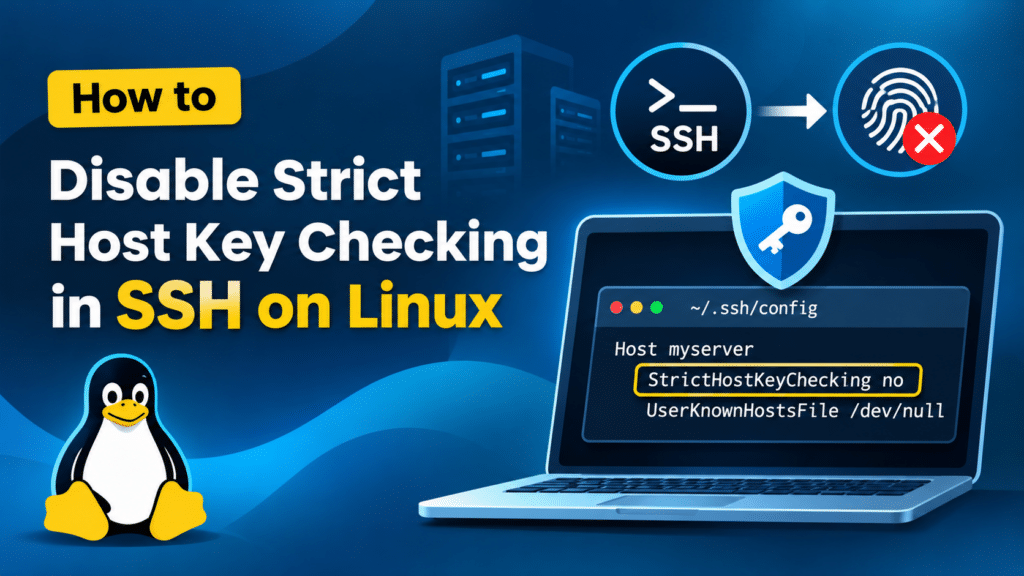
Disable Strict Host Key Checking in SSH is a common configuration requirement for Linux system administrators working with remote servers, automated deployments, and temporary environments.
SSH (Secure Shell) is a widely used network protocol that provides secure remote access to Linux servers and other network devices. It encrypts communication between the client and server, helping protect sensitive information during remote administration.
When connecting to an SSH server for the first time, the SSH client checks the server’s host key to verify its identity. The server’s host key is compared against the keys stored in the client’s known_hosts file. This security mechanism is controlled by an SSH client configuration option called StrictHostKeyChecking.
In certain situations, such as automated deployments, temporary server environments, or legitimate server host key changes, administrators may need to disable strict host key checking.
In this tutorial, we will explain how to disable strict host key checking in SSH on Linux using the SSH client configuration file and command-line options.
Security Warning: Disabling strict host key checking reduces SSH protection against man-in-the-middle attacks and connecting to unexpected servers. Whenever possible, use this setting only for specific trusted hosts rather than disabling it globally.
Prerequisites
Before proceeding, ensure you have the following:
- Access to a Linux system with an SSH client installed.
- SSH credentials (username, password, or private key).
- Permission to modify the SSH client configuration.
- The hostname or IP address of the remote SSH server.
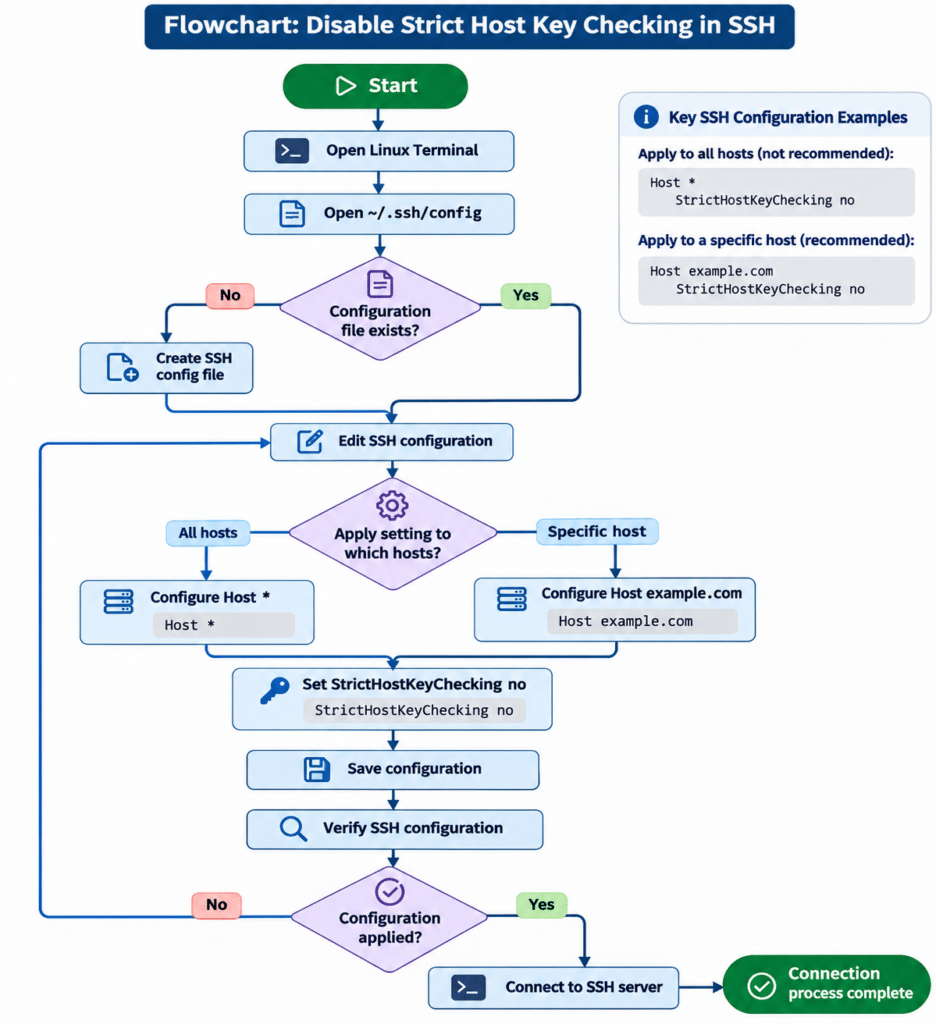
SSH configuration flowchart
Implementation
Step 1: Open the SSH Configuration File
The SSH client configuration file is generally located at:
~/.ssh/config
Open the configuration file using the following command:
vi ~/.ssh/config
If the file does not exist, create it:
mkdir -p ~/.ssh
touch ~/.ssh/config
chmod 700 ~/.ssh
chmod 600 ~/.ssh/config
These commands create the SSH directory and configuration file with appropriate permissions.
Step 2: Configure Strict Host Key Checking
There are two common ways to disable strict host key checking in SSH.
Option 1: Disable Strict Host Key Checking for All Hosts
Add the following configuration to ~/.ssh/config:
Host *
    StrictHostKeyChecking no
This configuration applies to all SSH connections made using this SSH client configuration.
Note: Applying this setting globally is not recommended because it weakens host identity verification for every SSH connection.
Option 2: Disable Strict Host Key Checking for a Specific Host
For better security, configure strict host key checking only for a particular server.
Add the following configuration:
Host example.com
    StrictHostKeyChecking no
Replace example.com with the actual hostname or IP address of your remote server.
For example:
Host 192.168.1.100
    StrictHostKeyChecking no
This configuration applies only when connecting to the specified host.
Using a specific hostname or IP address is preferable to applying the setting globally.
Step 3: Save the SSH Configuration
After adding the configuration, save the file and exit the editor.
If you are using Vim, press Esc, type :wq, and press Enter.
Verify the file permissions:
ls -l ~/.ssh/config
The configuration file should have restricted permissions, typically 600.
Step 4: Connect to the Remote SSH Server
Now, connect to the remote server using the following command:
ssh username@example.com
Replace username with your SSH username and example.com with your server hostname or IP address.
SSH will use the configuration specified in the client configuration file.
Step 5: Verify the SSH Configuration
To check whether the SSH client is applying the expected configuration, run:
ssh -G example.com | grep -i stricthostkeychecking
Expected output:
stricthostkeychecking false
You can also use verbose mode to inspect the SSH connection process:
ssh -v username@example.com
The verbose output provides additional information about SSH configuration, host key checking, and authentication.
Alternative Method: Disable Strict Host Key Checking for a Single SSH Connection
If you do not want to modify the SSH configuration file, you can disable strict host key checking temporarily using the SSH command-line option.
Run:
ssh -o StrictHostKeyChecking=no username@example.com
This option applies only to the current SSH command and does not permanently change your SSH client configuration.
For automation scripts, you may also encounter the following configuration:
ssh -o StrictHostKeyChecking=no \
    -o UserKnownHostsFile=/dev/null \
    username@example.com
Important: Using /dev/null as the known hosts file prevents SSH from maintaining its normal host key records for that connection. This further reduces protection and should only be considered for controlled, disposable environments.
Alternative: Remove an Outdated SSH Host Key
If you encounter the following error:
WARNING: REMOTE HOST IDENTIFICATION HAS CHANGED!
The server’s host key may have changed because of a server rebuild, SSH key regeneration, or another legitimate configuration change.
Before removing the old key, independently verify the new server fingerprint with the server administrator.
If the change is legitimate, remove the outdated host key using:
ssh-keygen -R example.com
For an IP address:
ssh-keygen -R 192.168.1.100
Then reconnect to the server and verify the new fingerprint before accepting it.
This is generally a better approach than permanently disabling strict host key checking.
Conclusion
Disabling strict host key checking in SSH can be useful in certain situations, particularly when working with automated deployments, temporary environments, and frequently rebuilt servers.
Using the StrictHostKeyChecking no option allows SSH to connect with reduced host key verification. However, this introduces security risks, including potential man-in-the-middle attacks.
For better security, avoid disabling strict host key checking globally. Apply the configuration only to specific trusted hosts when necessary. For legitimate host key changes, verify the new fingerprint and update the known_hosts entry instead.
Following these practices helps system administrators maintain a balance between operational flexibility and SSH connection security.
Frequently Asked Questions (FAQs)
1. What is SSH strict host key checking?
SSH strict host key checking is a security mechanism that verifies the remote server’s host key against the keys stored in the client’s known_hosts file. It helps ensure that the SSH client connects to the intended server.
2. Where is the SSH client configuration file located in Linux?
The user-specific SSH client configuration file is generally located at:
~/.ssh/config
The system-wide SSH client configuration file is typically located at:
/etc/ssh/ssh_config
3. How do I disable StrictHostKeyChecking for all SSH servers?
Add the following configuration to ~/.ssh/config:
Host *
    StrictHostKeyChecking no
This applies to all matching SSH hosts. However, disabling host key verification globally is not recommended.
4. How do I disable strict host key checking for a specific server?
Add the following configuration to ~/.ssh/config:
Host example.com
    StrictHostKeyChecking no
Replace example.com with your remote server hostname or IP address.
5. How can I disable strict host key checking for a single SSH command?
Use the following command:
ssh -o StrictHostKeyChecking=no username@example.com
This disables strict host key checking for that particular SSH invocation without modifying the configuration file.
6. Is it safe to disable strict host key checking in SSH?
Disabling strict host key checking reduces SSH security because the client may accept host keys without the normal verification safeguards. This can expose connections to man-in-the-middle attacks. It should be used cautiously and only when necessary.
7. How do I fix the SSH remote host identification has changed error?
First, verify the new host key fingerprint through a trusted channel. If the change is legitimate, remove the outdated entry using:
ssh-keygen -R example.com
Reconnect and verify the new fingerprint before accepting it.
Related Articles
Talk to Our Experts
Looking for reliable DevOps, cloud computing, or infrastructure management solutions for your business? Pheonix Solutions offers expert technology services to help businesses improve infrastructure performance, security, scalability, and operational efficiency.
Explore our DevOps and Cloud Services to learn more about our solutions.
Need assistance with your requirements? Contact our experts to discuss how we can help your business.