
How to Manage Content in AVideo/YouPHPTube Platform
Introduction
AVideo/Youphptube is an open-source video streaming and sharing platform that allows you to host and manage videos on your own server. It is widely used for creating private video portals, online courses, and internal company video libraries.
In this blog, we will see:
1. How to upload videos in AVideo
2. How to change the website logo
3. How to customize the footer content
This guide is useful for beginners who are setting up AVideo for the first time.
Prerequisites
Before starting, please ensure the following are available:
- The AVideo platform is installed and the website is accessible.
- Valid Admin login credentials are available.
- Required files are ready before making changes:
- Video file (recommended: MP4 format)
- Logo image (recommended: PNG with transparent background)
How to Upload Videos in AVideo
Step 1: Login to Admin Panel
- Open your AVideo URL
- Login using Admin credentials
Step 2: Go to Upload Section
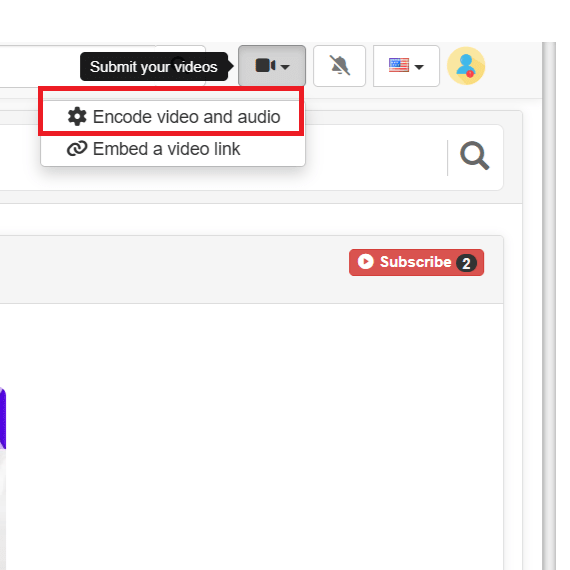
- From the top menu, click Encode video and audio
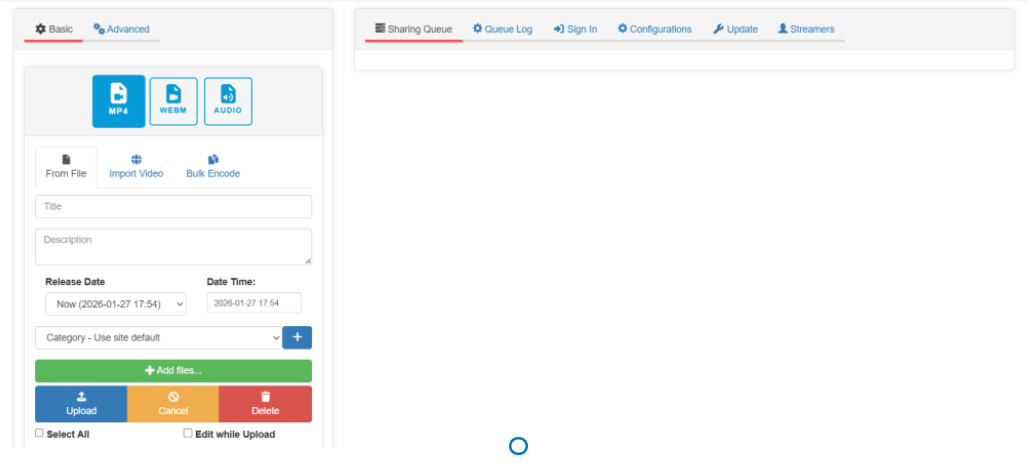
- Click Browse and select your video file
- Supported formats: MP4, MKV, AVI (recommended: MP4)
Step 3: Add Video Details
- Title – Video name
- Description – Short explanation
- Category – Choose appropriate category
- Visibility – Public / Private / Unlisted
Step 4: Upload & Encode
- Click Upload
- Wait for encoding to complete
- Once done, video will be visible on the site
Video successfully uploaded!
How to Add or Edit Footer in AVideo
Step 1: Open Site Configuration
- Login as Admin
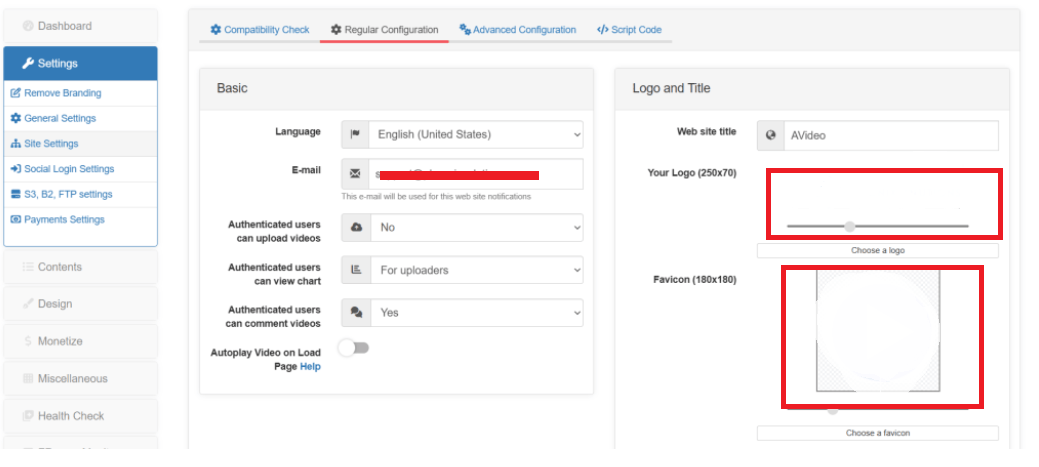
- Go to Admin Panel → Settings → Site settings
Step 2: Upload Logo
- Find Logo or Main Logo option
- Upload your new logo image (PNG/JPG)
- Recommended size: Transparent PNG
Step 3: Save Changes
- Click Save
- Refresh the website
- Your new logo will appear on the header.
How to Add or Edit Footer in AVideo
Open Footer Settings
- Login as admin
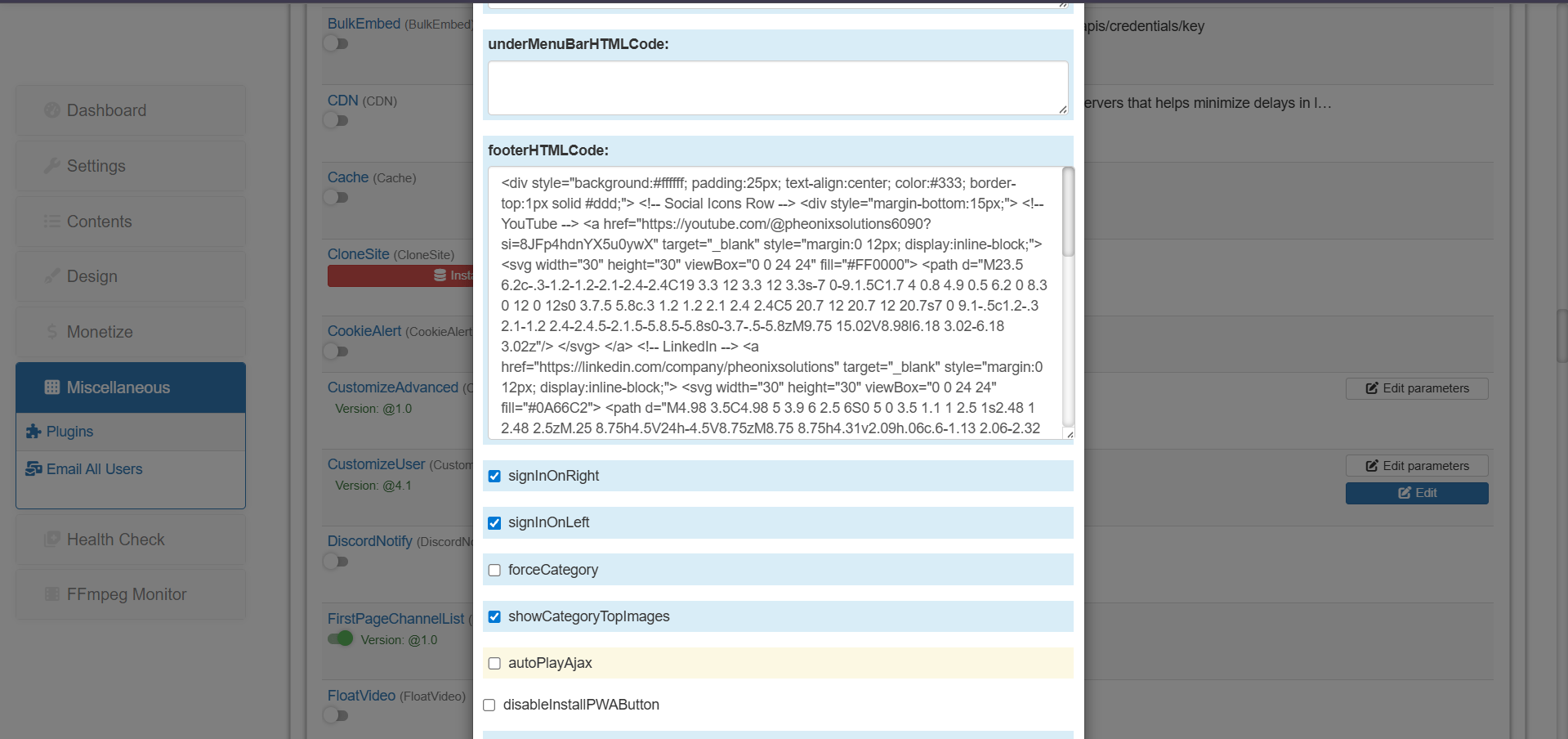
- Go to Admin Panel → Miscellaneous → Plugins → Advanced Configuration
- Add your footer content
- Save the changes
- Refresh the page
Conclusion
In conclusion, AVideo is a powerful and user-friendly platform to manage and publish video content. Whether you are building a video hosting website, training portal, or entertainment platform, AVideo provides all the basic customization and content tools needed to maintain a professional-looking site.
In this blog, we covered the most important admin tasks like:
- Uploading videos and publishing them properly
- Changing the logo to match your brand identity
- Adding and editing footer content to display copyright, policies, and company details
By following these steps, you can easily keep your platform updated and ensure that your website looks consistent and trustworthy for users.
