
How to delete databases in Amazon RDS
Date: 13-05-2020
Introduction:
Amazon Relational Database Service (Amazon RDS) makes it easy to set up, operate, and scale a relational database in the cloud.
Amazon RDS Free Tier. It helps new AWS customers get started with a managed database service in the cloud for free.
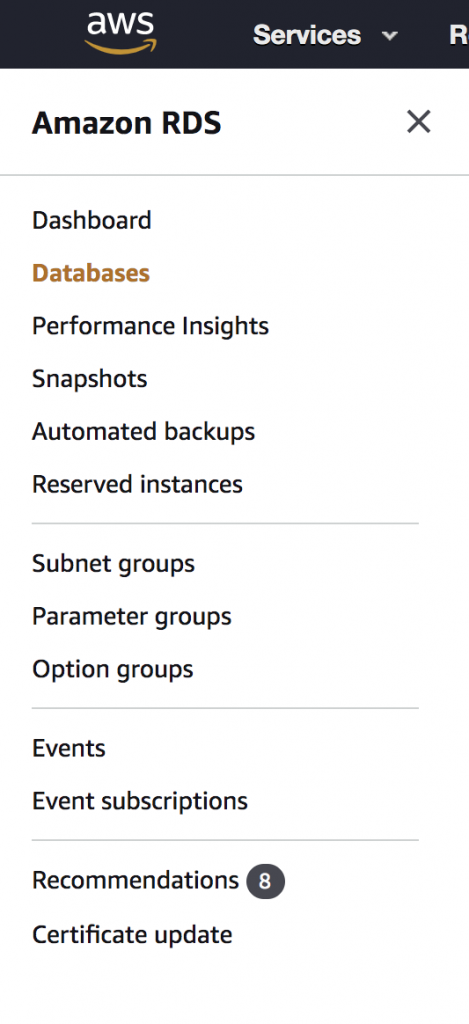
Step 1: Open Amazon RDS and click on Databases.
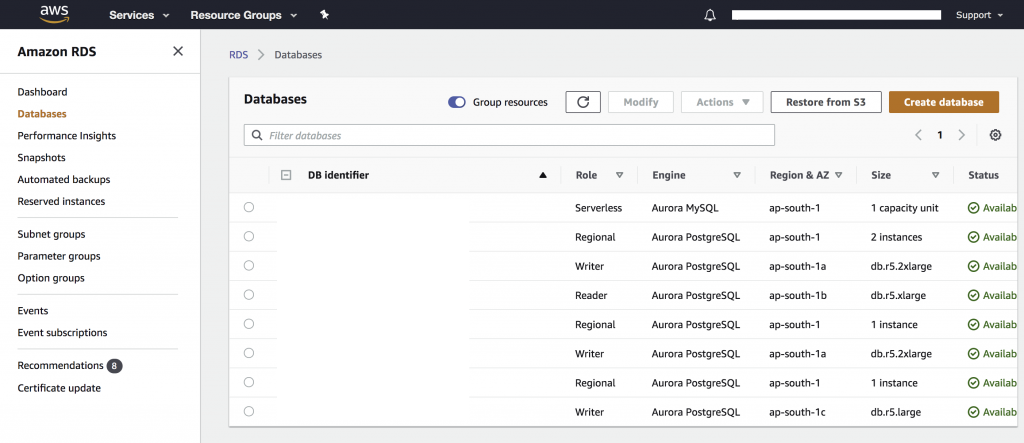
Step 2: Select the database name on DB identifier.
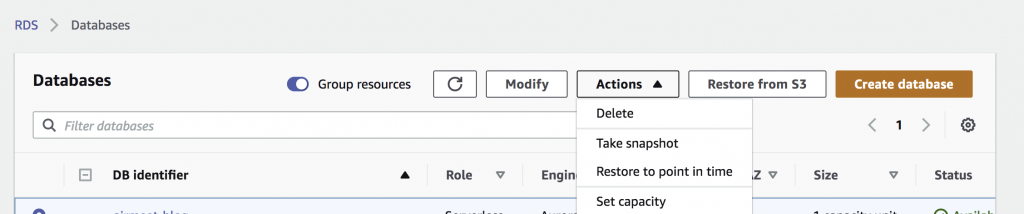
Step 3: Click on the Action button and select delete.
Step 4: when deleting, It will take the final snapshot. Please make sure it is selected.
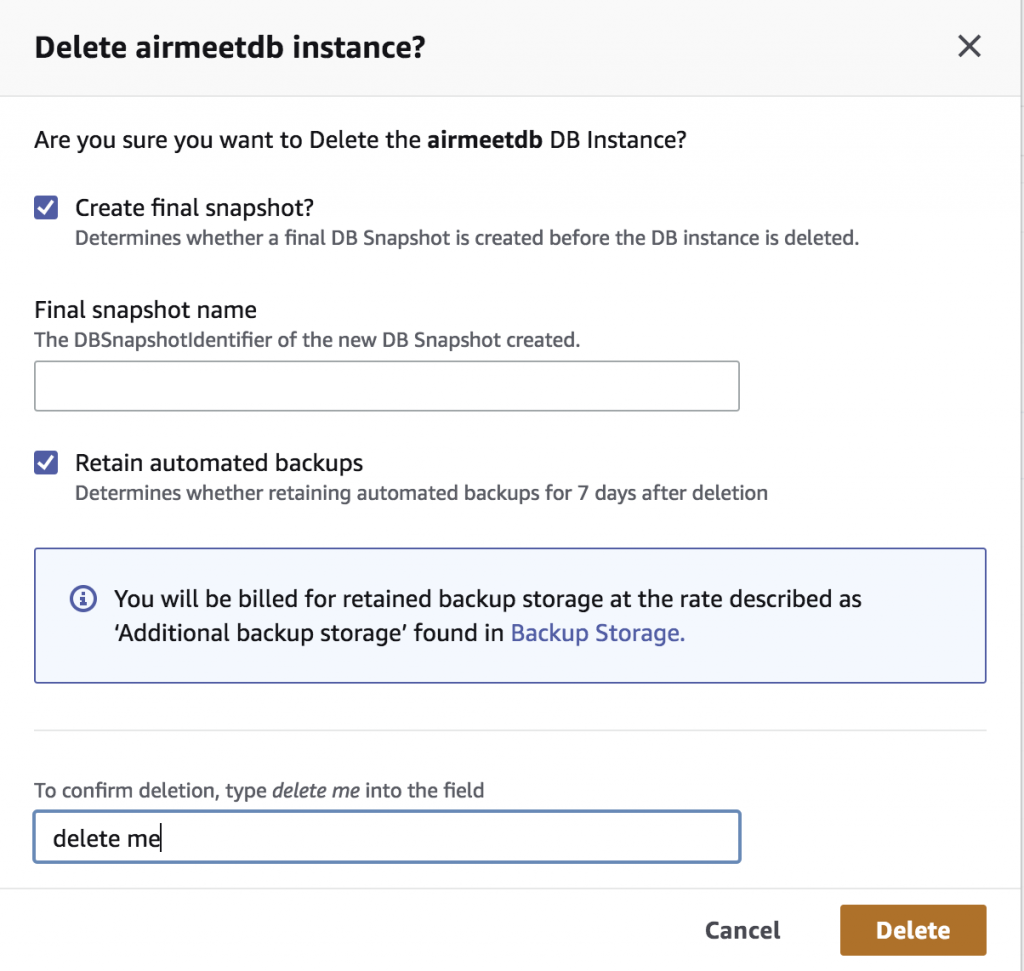
Step 5: To confirm the deletion, type delete me into the field. Once you write delete me then only delete button is enabled. Finally, click on the delete button.
Thank you!